








 Store
Store


Grand Theft Auto 5 is an action-adventure game published by Rockstar Games in 2013. With no negation, GTA has always been the best sandbox series. This game is famous for its driving gameplay and phenomenal heist plots. In this game, players can get into whatsoever car and play songs using the car’s audio system. There is a sensational feeling when playing music while driving cars in GTA.
How about listening to your favorite music from Spotify while playing GTA 5? Spotify allows you to access millions of songs instantly. Therefore, you will get a more personalized experience while playing the game only after knowing how to play Spotify on GTA 5. In this guide, we’ll show you how to play Spotify on GTA 5 PC/PS 4/Xbox in just a few steps.

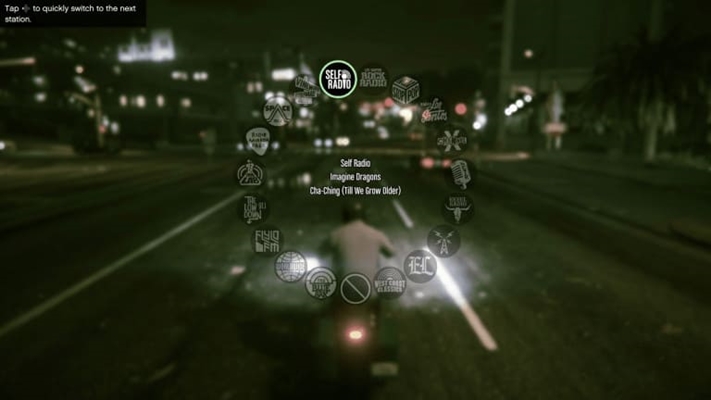
Part 1. How to Play Spotify on GTA 5 via Self Radio [PC]
It is a pity that Spotify doesn’t offer the feature of playing music directly to GTA 5, but don’t worry. You can utilize the Self Radio feature, which is the media player in GTA 5, to play your own music files on GTA 5. So, the only problem here is how to download your favorite Spotify songs to local files that can be played on the built-in music player of GTA 5. Currently, the GTA-supported audio formats include MP3, AAC, WMA, and WAV.
Hence, you will have to download songs from Spotify to these compatible formats before playing them in your GTA 5. But there is a DRM protection that limits you from playing Spotify music elsewhere without authorization from Spotify. To remove this restriction, you will need the help of a third-party tool – TunesMake Spotify Music Converter.
1.1 Download and Convert Spotify Music for GTA 5
TunesMake Spotify Music Converter is an easy-to-use yet professional music-converting program, allowing you to download Spotify music to diverse audio formats, such as MP3, M4A, M4B, WAV, FLAC, and AIFF. Once downloaded, you can easily connect Spotify to GTA 5 radio for playing. Moreover, the TunesMake tool smartly keeps the sound quality and ID3 tags to ensure your listening experience.

TunesMake Spotify Music Converter –
Best Spotify to GTA 5 Downloader
- Unlimitedly download Spotify songs, playlists, and podcasts
- Losslessly convert Spotify music to MP3, FLAC, WAV, AIFF, etc.
- Remove ads from Spotify music tracks even with Free accounts
- Convert Spotify songs at 12X faster speed with ID3 tags kept
Security Verified. 100% Clean & Safe.
Step 1
Import Spotify music to the conversion list
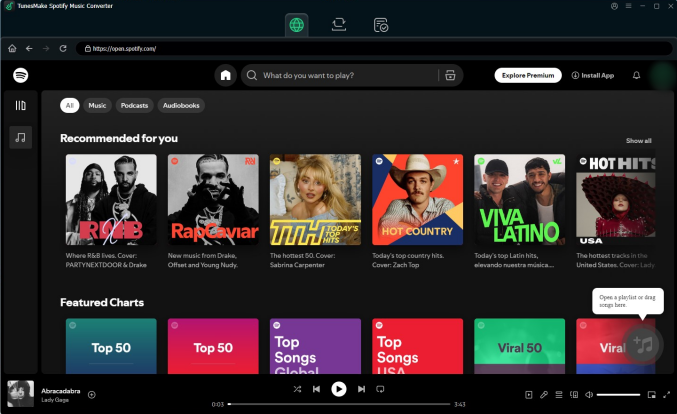
Install and launch the TunesMake Spotify Music Converter on your PC or Mac. Opening the program will automatically launch the Spotify web player. After logging in, you can find the playlist or album you want to listen to while gaming. Then, simply select the playlist/album. Once you enter its detailed page, you can click the Add icon > Add to List for loading all songs to the conversion list.
Step 2
Customize the output parameters for GTA 5
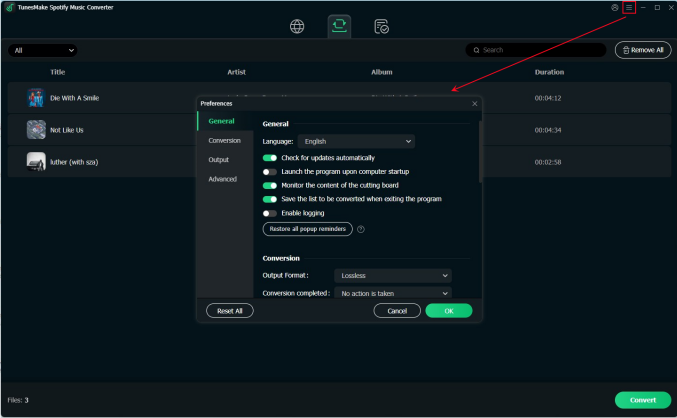
Head over to the menu bar and select on the Preferences option. To choose the output format, click on the Conversion tab. You’d better keep the default MP3 format to link Spotify to GTA 5. There are also other customizable settings, such as the bit rate, sample rate, and channel, which you can adjust depending on your preference.
Step 3
Start to download and convert Spotify music
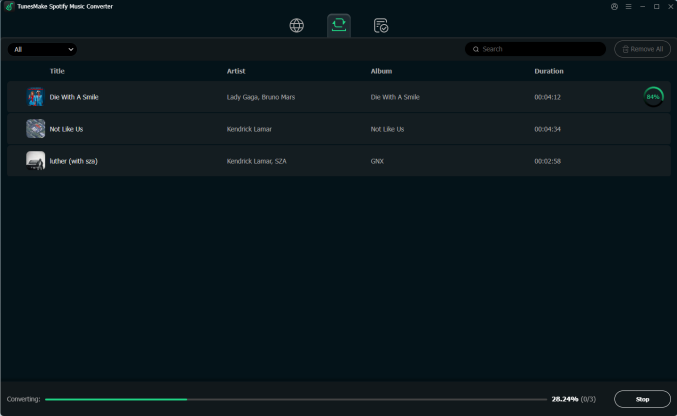
Click on the Convert button to start the conversion process. Here, all your converted files will have been kept offline. Just click the top Converted icon to view them and select the file icon next to each song to locate them in the local drive.
1.2 Listen to Downloaded Spotify Music While Gaming
Spotify music tracks have been downloaded and converted to a format compatible with GTA 5. Now is the time to enjoy your game by playing Spotify in GTA 5. You have to import your Spotify songs into a GTA 5 folder. Here’s how to put Spotify music on GTA 5 and play Spotify in GTA 5 with its Self Radio feature.
1) Open the My Documents folder on your computer, then navigate to Rockstar Games > GTA V > User Music.
2) Select all the converted Spotify music files and drag them to the User Music folder on your computer.
3) Fire up GTA V on your desktop and go to the Settings menu.
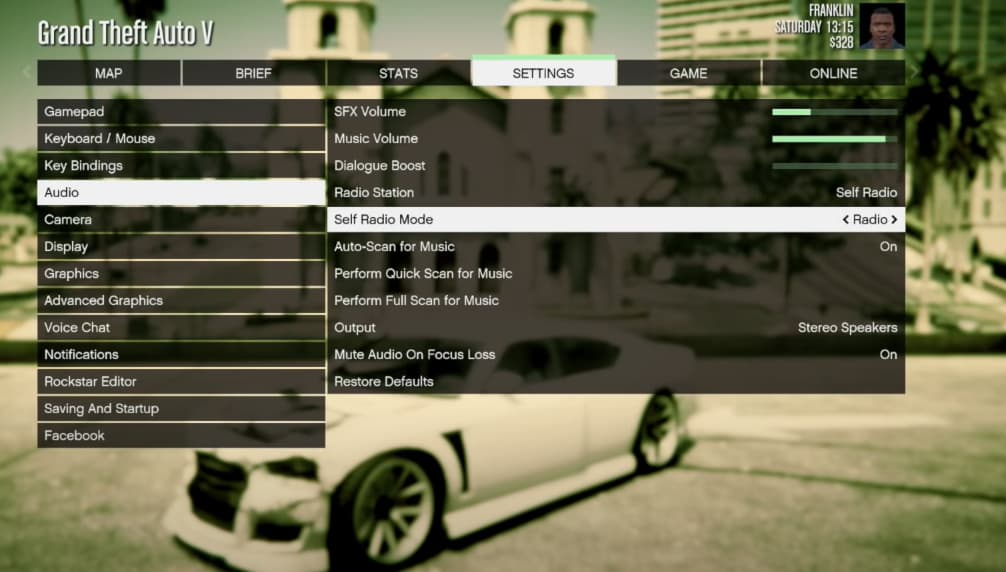
4) On the menu panel, choose Audio and make sure the Self Radio Mode says Radio and Auto-Scan for Music is On.
5) Click on Perform Full Scan for Music, and then the game will automatically filter through your Spotify music files inside the User Music folder.
6) Exit the in-game settings screen and fire up your game.
7) Then the car radio in the game will automatically play Spotify songs from GTA 5 Self Radio Spotify.
Part 2. How to Connect Spotify to GTA 5 via Spotify Radio Mod
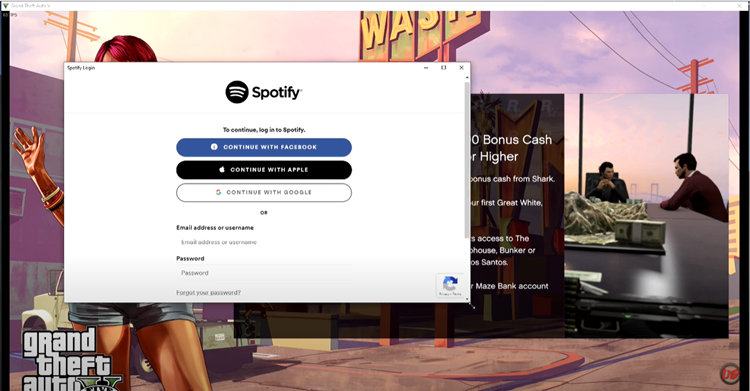
With the help of TunesMake software, you can soon enjoy Spotify music while playing GTA 5. Also, here is another method to help you link Spotify to GTA 5. That is to install GTA Spotify Radio Mod which enables you to stream Spotify music within GTA 5 using the Spotify web player. Before you start, you should know some bugs in this program.
Spotify Radio Mod for GTA 5 is not developed officially and has not been updated for over 2 years, thus there exist some bugs when you use GTA 5 Spotify Mod. One is that Spotify music doesn’t stop when a game is paused; the other one is that it causes the black screen on the main menu. Now you can follow the steps below to set up Spotify Radio Mod for GTA 5.
Step 1
Install Spotify Radio Mod for GTA 5
1) Launch OpenIV to edit the file: mods\update\update.rpf\common\data\dlclist.xml.
2) Add this to the dlclist.xml:dlcpacks:/spotifyradio and then close OpenIV.
3) Open the Place in GTA Root folder in this mod’s files.
4) Choose all the folders and drag them to the root directory of GTA Default location is C:\Program Files (x86)\Steam\steamapps\common\Grand Theft Auto V.
Step 2
Set Spotify Default Radio Playlist for Playing
1) Go to https://open.spotify.com/ using a browser.
2) Find the playlist you want to play and copy the playlist’s URL.
3) Launch GTASpotify.ini and paste the copied URL next to DefaultPlaylst.
That’s all. This will add a new radio to the radio wheel that will allow you to control the playback of Spotify while playing GTA 5. But you should subscribe to a Spotify Premium first then you can use this GTA 5 Spotify Mod.
Part 3. How to Stream Spotify Music on GTA 5 [Game Consoles]
For users who play GTA 5 on game consoles like PlayStation and Xbox, it’s hard to access Self Radio or mods. But don’t worry, both Sony and Microsoft have built-in system-level integrations that work well with GTA 5. You can try the following steps to replace the in-game music with your own Spotify streams.
3.1 Connect Spotify to GTA 5 on PS4/PS5
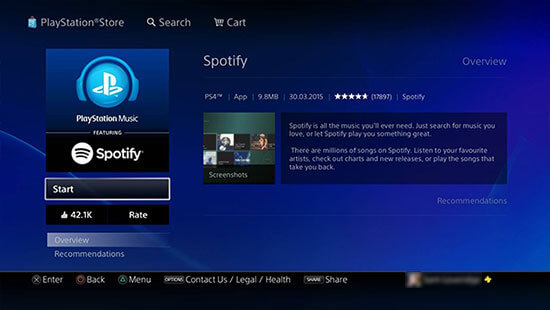
1) Ensure you’ve downloaded GTA 5 and Spotify on your PlayStation.
2) Then open Spotify on your console and select Log in to enter your Spotify account details and then choose Link Accounts.
3) Press the PS button on your controller to launch the quick menu.
4) Select Music > Spotify and start playing your favorite song or playlist.
5) Now, start your game with GTA 5 PS4/PS5 and you’ll hear the Spotify music in the background.
3.2 Connect Spotify to GTA 5 on Xbox One
As of July 5, 2023, Xbox One and Xbox Series X/S players who subscribed to the membership will be able to enjoy GTA for free. Since there is Xbox Spotify integration, playing Spotify on GTA 5 Xbox is a breeze.
1) Ensure you are subscribed to Xbox Game Pass.
2) Search for GTA V within the Store and select Add to Library > Download.
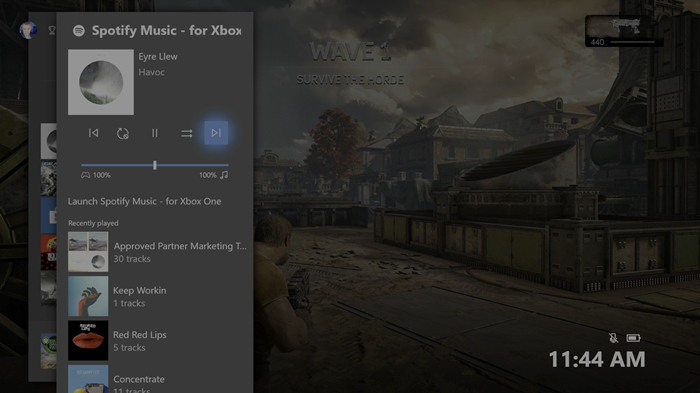
3) Launch Spotify to sign in to your Spotify account and then link Spotify to Xbox One.
4) Press the Xbox button on your controller to bring up the Xbox Guide.
5) Select Spotify and select any playlist or album to stream before loading up GTA V.
Part 4. Bottomline
When you get settled to play a GTA game, you won’t be able to move an inch from it due to the extreme satisfaction you’ll derive from playing Spotify in GTA 5. Explore this fantastic experience by learning how to play Spotify music on GTA 5 from this post. Now you can listen to your favorite songs while playing games.
Related Articles


A senior editor from TunesMake, dedicated to sharing professional tutorials and solutions of software, movies, and music.
- 1
- 2
- 3
- 4
- 5
- 6
- 7
 Leave Your Comment
(0)
Leave Your Comment
(0)

 Download Center

