


Spotify Music Converter

Download Music from Spotify without Premium

*Note: TunesMake is legal only for personal use.

tunesmake spotify music converter

One-Stop Spotify Downloader to Download All Content without Device Limits

As a premier desktop utility, TunesMake Spotify Music Converter unlocks the full potential of your Spotify library. Whether you are a Free or Premium user, TunesMake allows you to download and convert unlimited tracks, complete audiobooks, and full podcast episodes.

download spotify music

Download Over 100 Million Tracks from Spotify

From the latest chart-toppers and deep-cut indie tracks to expansive playlists and full discographies, TunesMake Spotify Downloader allows both Free and Premium users to any audio available on Spotify without a hitch. Once downloaded, your songs are yours to keep.

download spotify audiobooks

Download Over 700,000 Audiobook Titles from Spotify

While Spotify provides an extensive collection of audiobooks, listening is typically confined to the official app. TunesMake Spotify Audiobook Downloader removes these format restrictions, letting you download and convert entire audiobooks into plain audio formats.

download spotify podcasts

Download Over 7 million Podcast Titles from Spotify

Streaming millions of exclusive podcasts on Spotify locks you into the Spotify app. But TunesMake Spotify Podcast Downloader effortlessly breaks these limits. Whether you are commuting or traveling through dead zones, TunesMake ensures your podcasts are always ready to play.

download spotify content
convert spotify to mp3

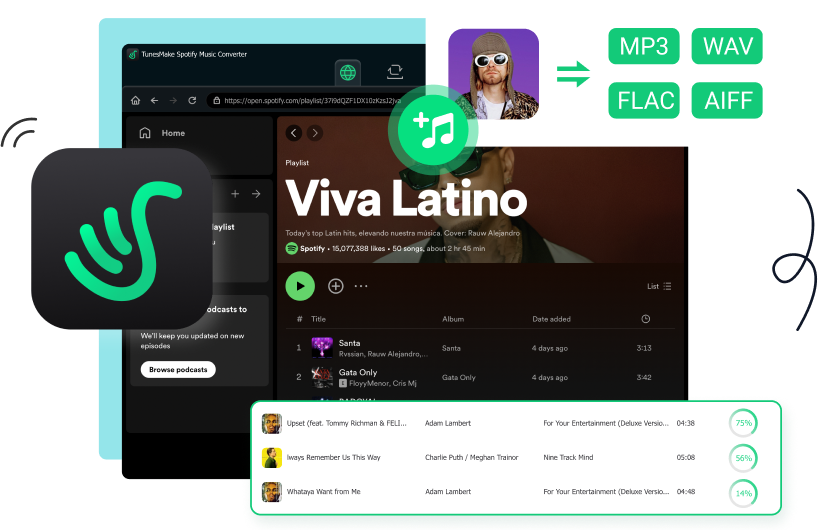
Convert Spotify Music to MP3, WAV, FLAC, M4A, M4B, and AIFF

Engineered for maximum audio flexibility, TunesMake Spotify Music Converter has the ability to bypass Spotify's restricted, encrypted web-streaming format and convert your music library into six widely-supported audio formats. Whether you need high-compression files to save storage space or uncompressed audio for a high-end audio setup, TunesMake gives you the exact format you need for any device, platform, or media player.

Preserve Original Audio Quality, Full ID3 Metadata, and Lyrics

Instead of degrading audio quality during the ripping process, TunesMake Spotify Converter utilizes advanced decryption technology to extract music directly from the stream. This ensures that every downloaded track retains its original brilliance. For formats like MP3, adjust your settings up to a crisp 320kbps with a 48,000Hz sample rate.

Besides, a massive music library is only as good as its organization. TunesMake automatically preserves crucial metadata directly into the converted audio files. And it features a dedicated lyrics-saving function that downloads the synchronized text alongside the track.

keep original quality

Lightning-Speed Spotify Music Converter with Maximum Flexibilities

15× Blazing-Fast Batch Conversion Fully Customizable Output Parameters True Cross-Device Playback Freedom
faster spotify music converter

Convert Spotify Music at 15× Speed in Batch

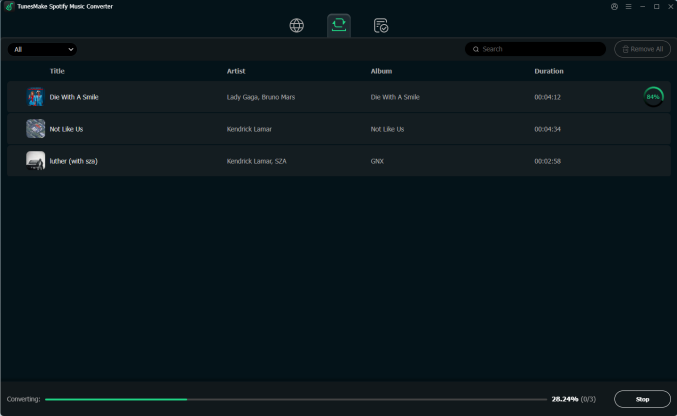
Don't let long waiting times stall your listening. TunesMake Spotify Music Converter features a cutting-edge hardware acceleration engine that hits an incredible 15× conversion speed. Whether to convert hundreds of songs, massive audiobooks, or entire podcast seasons, TunesMake completes in just a matter of minutes, saving you time and effort.

customize output audio quality

Personalize Spotify Audio Settings as You Wish

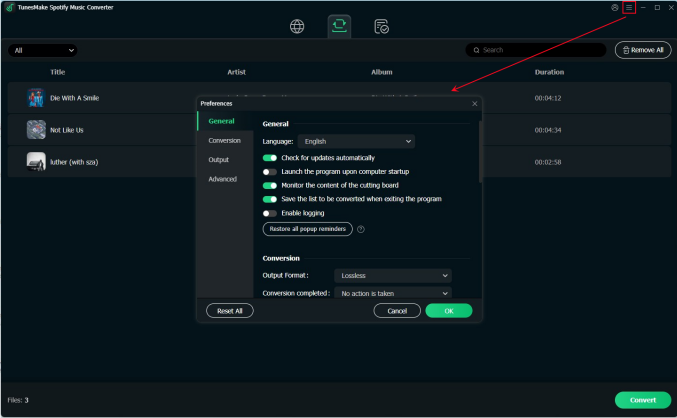
Take complete control over your file properties. TunesMake Spotify Music Converter doesn't just convert your audio. It lets you fine-tune the exact technical specifications to match your playback needs. You can easily adjust various audio settings, including the output format, bit rate, sample rate, and audio channel. To organize the music library better, TunesMake allows you to set the output file name and location according to your requirement.

play spotify on multiple devices

Seamless Offline Playback on Multiple Devices

By converting restricted streaming audio into open, standard file formats like MP3, AIFF, or FLAC, TunesMake Spotify Music Converter removes the requirement for the Spotify app entirely. Once converted, you can seamlessly transfer and play your downloaded music across an unlimited number of devices simultaneously, including MP3 players, car stereos, smart speakers and mobile devices or use with various videot editing and DJ software.

Explore the Ultimate Spotify Freedom with TunesMake Limitless Features

icon01

Truly User-Friendly Interface

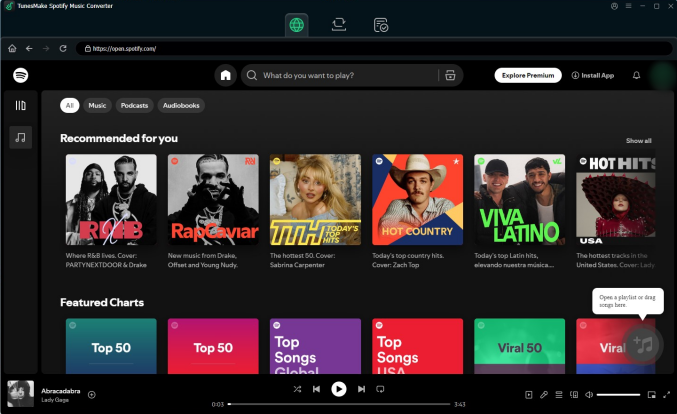
Featuring a clean, modern, and intuitive user interface, TunesMake streamlines the entire conversion process into a few simple clicks, making digital music management accessible to everyone.

icon02

Fully Compatible with Latest OS

TunesMake runs smoothly on both primary desktop operating systems, accommodating regular system updates. It is fully optimized for Windows 10 and later, as well as, macOS 11 and later.

icon03

Secure Your Music Collection

TunesMake provides a reliable solution for your digital music collection, allowing you to create local backups of your entire Spotify library and restore your favorite tracks, albums, or playlists at any time.

icon04

Perfect Library Organization

By offering a smart, automated file-sorting engine, TunesMake categorizes and organizes your downloaded audio files automatically during the conversion process, making it easy to navigate.

icon05

Free Technical Support & Updates

When you invest in TunesMake, you aren't just getting a one-time utility tool. To ensure a smooth listening experience, every user receives free technical support and regular software updates at no extra cost.

icon06

Multi-Language Support

To ensure that users around the world can navigate the software comfortably, the interface features multiple language. You can switch the entire software interface into your native language with a few simple clicks.

How to Convert Spotify to MP3 with TunesMake Spotify Music Converter

Media & Customer Reviews

colon

Frequently Asked Questions

  • Can I use TunesMake application on my smartphone?

    No, you can't install TunesMake Spotify Converter on your mobile devices. Currently, all TunesMake programs are only compatible with desktop systems, so you can only install and use them on your Windows PC or Mac.

  • It doesn't work when I click the "Check for Updates" button?

    Sometimes when you try to update the program within the app, you may see the error message and fail to update it. This problem is caused by our server issue. If you ever encountered such error, please simply visit our Download Center to download the latest installation package and install it on your computer.

  • Can I listen to Spotify music offline with TunesMake?

    Yes! Once converted, your Spotify music files are saved as regular audio files. You can import them to other players or listen to them directly within TunesMake Spotify Music Converter by using its built-in player, which even allows you to change the playback speed as you want.

  • Can I try TunesMake Spotify Music Converter for free?

    Absolutely, yes. TunesMake Spotify Converter provides a free trial for all users to thoroughly evaluate its capabilities and performance before committing to a purchase. The free version allows you to convert the first one minute of each song you want to download. You can use it to test whether this software meets your demands.

  • Does TunesMake preserve the original sound quality of Spotify music?

    Yes, TunesMake preserves the original sound quality during the conversion process. You can adjust the output settings to customize the bit rate and sample rate for the best possible audio experience by yourself.

tunesmake spotify converter banner

TunesMake Spotify Music Converter

A professional, trustworthy Spotify music downloader for both Free and Premium users to download and convert Spotify music into six popular audio formats at a fast speed in batch while retaining its original audio quality and full ID3 metadata.