








 Store
Store


For most people, listening to streaming audio online seems to be an indispensable part of our life. On music streaming platforms like Tidal, we can access millions of songs and enjoy them with ease after subscribing. However, many people may have experienced that these songs are not playable forever, but are only temporarily stored in the cache folder, which means your downloads are greyed out once you cancel the subscription. And that is why you need a Tidal DRM removal to keep your Tidal songs forever available on your device.
If you’re searching for the best Tidal DRM removal to remove the limit from Tidal Music, then you can’t miss this post. In the next part, I’ll show you how to remove DRM protection formats with one of the best tools below. Check it out now.
Part 1. Is Tidal Music DRM Protected?
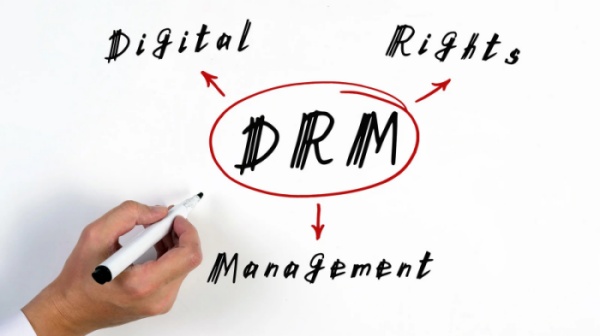
The first question that people may puzzle is about the DRM issue on Tidal Music. So, what is DRM? Does Tidal Music are DRM-protected? How can it affect our listening experience? Don’t worry, we’re now telling you the truth. DRM, the abbreviation of Digital Right Management is a popular way of managing legal access to digital content. By using some specific tools or technical management measures like access control technologies, DRM can restrict the use of proprietary hardware and copyrighted works. This kind of restriction method has got popular usage on those major audio and media services to protect copyrights.
Tidal also adopts this method as the music contents are all encrypted with special formats. It restricts the Tidal music from playing on other devices except for the Tidal app. Therefore, even though you have downloaded songs as offline playback with a premium account, they won’t play if your subscription expired. Of course, it won’t allow you to add Tidal music to other players or software for usage. This is intended to protect music copyrights, however, to some certain degree, it prevents us from having a good experience when using Tidal.
Part 2. Best Tidal DRM Removal to Decrypt Tidal Music Files
Since the streaming audio files are strictly restricted by the DRM program, it is not an easy task to remove DRM from Tidal files. You’ll need professional tools to help. Here we met this tool: TunesMake Tidal Music Converter. TunesMake Tidal Music Converter is a professional and powerful software for all Tidal users to enjoy a better experience while streaming. Its main feature is to download and convert Tidal Music for listening offline on multiple devices.
As a professional and helpful music downloader especially for Tidal users, TunesMake Tidal Music Converter has gained popularity among people and is being relied on worldwide. The best thing users love it is that it keeps the high quality and original ID3 tags of your Tidal songs. In other words, you can have the same experience as online. Plus, the TunesMake supports diverse audio formats, including MP3, M4A, M4B, WAV, FLAC, and AIFF. You can choose any of them according to your demands. If you need, you can even customize other audio parameters to have a personalized local Tidal music file. After downloading, there is nothing easier than playing Tidal on other media players or devices offline.

TunesMake Tidal Music Converter –
Download and Convert Tidal Music to MP3
- Download any Tidal content, including songs, albums, playlists, and artists
- Convert Tidal music to MP3, FLAC, AIFF, WAV, M4A, and M4B
- Preserve a whole set of ID3 tag information in the downloaded Tidal songs
- Handle the conversion of Tidal music up to 22X faster speed and in batch
Security Verified. 100% Clean & Safe.
Step 1
Select DRM-protected Tidal Music to Import
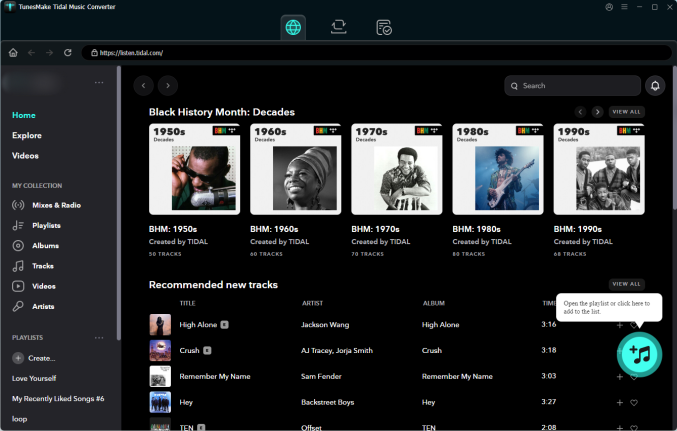
Download and install the TunesMake Tidal Music Converter app on your Windows or Mac computer. When you launch TunesMake, the Tidal web player will work simultaneously. You can then select the playlist or album you like. To load all the included songs to the conversion list, you need to click the lower Add icon > Add to List.
Step 2
Configure the Output Audio Parameters
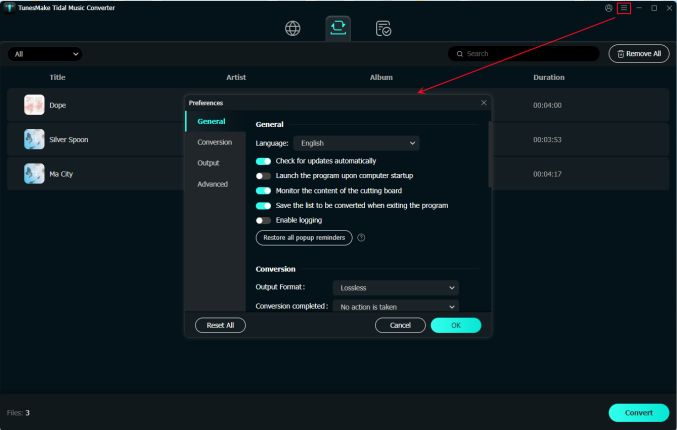
Once loaded the files, you can select the output format and parameters in the three-line icon on the top right of the main screen. In the pop-up menu, choose Preferences > Conversion to set sample rate, bit rate, channel, and archive according to your needs. The conversion will be done in 22x speed ad default.
Step 3
Convert Tidal Music to MP3 to Decrypt
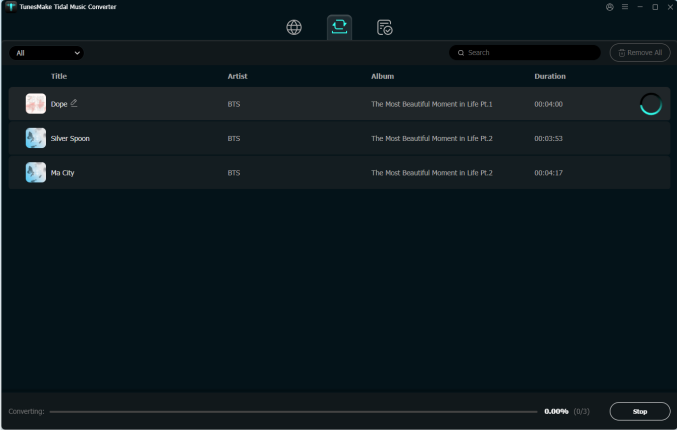
After setting the formats, you can click the Convert button to start the conversion. It’s no problem to convert a batch of music files. You’ll only need to wait for a short time till it is finished. When the conversion is over, you can access the converted music files easily in your local folder by clicking the top Converted icon.
Part 3. Troubleshooting: DRM Tidal Issues
When it comes to solving the DRM issue on Tidal, people have reported that they are running into some sticky problems. If you’re experiencing the same problem, see the below answers to fix it.
Is There Tidal DRM Removal Online Free?
Yes, there are still some workarounds if you don’t want to install apps. You can make use of some audio recorders or captures to record audio from Tidal so that you can remove DRM. Popular online tools like Apowersoft, Audacity, and Athame, etc. are enough to meet your requirements. Among them, Audacity is a little bit more difficult to handle than other software. Please note that these audio recorders cannot guarantee the audio quality and music info metadata, which are not working properly occasionally. For most people, the best choice is still using professional Music Converters like the TunesMake program.
How to Fix Tidal Your Browser Does Not Support DRM?
Users who stream Tidal music online through Tidal Web Player are likely to encounter this issue: when you access Tidal songs online via any browser, only to receive a notice saying that Your Browser does not support DRM. In this case, you’ll need to verify that your browser is configured to play DRM content. Please follow the below steps to set up:
In Chrome:
1. Go to chrome://settings/content/protectedContent.
2. Ensure Tidal Web Player can play protected content and use identifiers to play protected content. Mark two options accordingly.
In Firefox:
1. Go to about: preferences.
2. Under “Digital Rights Management (DRM) Content”, make sure Play DRM-controlled content is enabled.
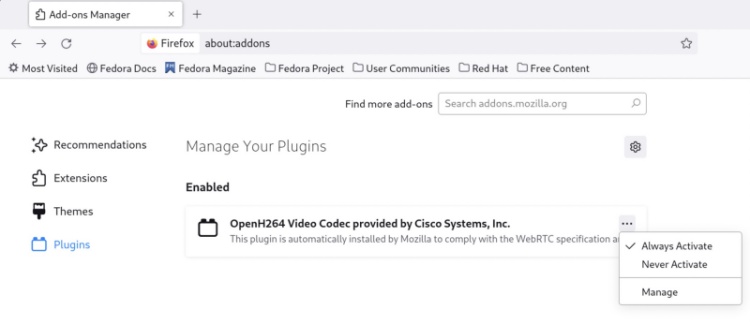
3. Select Extensions & Themes in the bottom-left corner.
4. Select Plugins in the top-left corner.
5. Ensure listen.tidal.com is enabled.
Part 4. Summary
DRM encryption technology is widely used in music streaming services like the Tidal Music app to protect copyright safety while limiting us from using Tidal songs for mixing or other normal use. Therefore, if you want to enjoy Tidal Music on multiple devices without limits, you’re supposed to remove DRM from Tidal. To get this done, you shouldn’t miss the best Tidal DRM removal: TunesMake Tidal Music Converter.
Related Articles


A senior editor from TunesMake, dedicated to sharing professional tutorials and solutions of software, movies, and music.
- 1
- 2
- 3
- 4
- 5
- 6
- 7
 Leave Your Comment
(0)
Leave Your Comment
(0)

 Download Center

