








 Store
Store


In the days of albums and tapes, it was easy to get music. If you want to pick up some music, visit your local store. However, with the development of streaming music services, you cannot truly own the songs you like due to copyright protection. Spotify is a subscription-based service that allows you to listen to music online and offline, but you cannot download Spotify music locally, even if you have a Premium subscription.
This is because all Spotify music is protected by Digital Rights Management. As a result, you will only be able to stream music from within the Spotify app on certain appointed devices. Today, here we show you how to remove DRM from Spotify music via Spotify DRM removal. Let's check it out now!
Part 1. Is Spotify DRM Protected?
Spotify is DRM protected. DRM, short for Digital Rights Management, is a way to protect the copyright of digital media. This is a set of access control technologies that restricts the use of proprietary hardware and copyrighted works. It has successfully controlled the use, modification and distribution of copyrighted works. Without a doubt, DRM is used across Spotify's entire audio catalog to encrypt tracks and control how they can be accessed.
1️⃣ Encrypted Audio Formats: Spotify Free users stream Ogg Vorbis audio at 160 kbps, while Premium subscribers access high-quality streams up to 320 kbps. These files are encrypted using AES-128-CTR protection.
2️⃣ Encrypted Local Cache: When you download tracks for offline listening, Spotify does not save local files. Instead, it stores encrypted data packets within a local cache folder. They can only be decoded and played through an authorized Spotify app.
3️⃣ 30-Day Re-Authentication: Offline downloads require the Spotify client to connect to the internet at least once every 30 days. This check verifies an active subscription and updates licensing tokens.
4️⃣ Device Restrictions: Offline playlists are tied directly to authorized devices running the official app, preventing direct transfers to external storage or unauthorized devices like traditional MP3 players, car stereos, or DJ software.
Part 2. Best Spotify DRM Removal for Mac/Windows
To crack Spotify DRM, you may need a Spotify DRM removal tool. Usually, Spotify DRM removal relies on two distinct technical processes: direct stream decoding and real-time system audio capture. Whether to consider output quality or conversion speed, direct stream decoding is a better choice. Here you cannot miss this professional Spotify DRM removal called TunesMake Spotify Music Converter if you want to remove Spotify DRM in a fast and easy way.
As a professional Spotify DRM removal, TunesMake can not only remove DRM from Spotify but also save Spotify music into several popular audio formats like MP3 and FLAC. Meanwhile, it can work well on both Windows PC and Mac. By using this tool, you can download any content from Spotify whether you are using a free Spotify version or have a Premium subscription. Besides, it supports customizing the audio parameters like bit rate, sample rate, and channel.

TunesMake Spotify Music Converter –
Remove DRM protection from Spotify music
- Download Spotify songs, albums, playlists, audiobooks, and podcasts
- Losslessly convert Spotify music to MP3, FLAC, WAV, AIFF, and more
- Remove ads from Spotify music tracks even with a Free account
- Convert Spotify music at 15× faster speed in batch with ID3 tags kept
Security Verified. 100% Clean & Safe.
How to Remove DRM from Spotify Music via TunesMake
First, go to install TunesMake Spotify Music Converter from the TunesMake website or by clicking the above Download button. Then, follow the steps below to remove DRM from Spotify and save Spotidy music locally in three steps.
Step 1 Add Spotify Music to the Conversion List
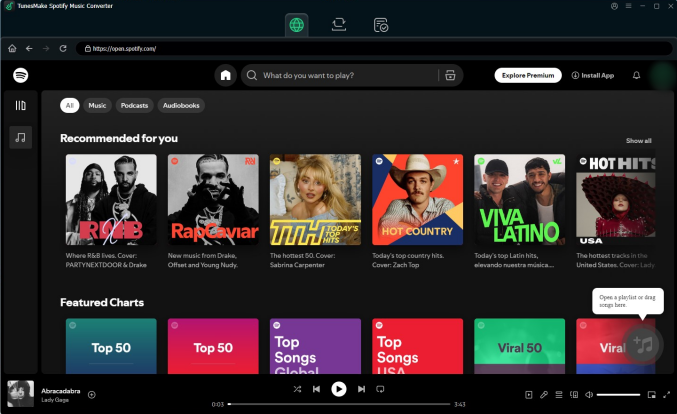
Open TunesMake Spotify Music on your Windows PC or Mac, and then the built-in Spotify Web Player will be loaded automatically. Go to select any music track, album, or playlist you wish to download. You can directly drag and drop songs from Spotify to the conversion list. Or you can load the Spotify music into the conversion list by clicking the + button.
Step 2 Set the Output Parameters for Spotify
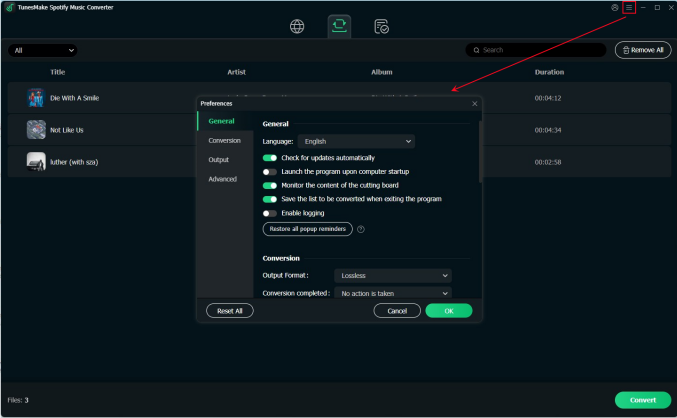
Within the converter, click the menu bar and select the Preferences option. A window will pop up and switch to the Conversion tab in the window. Here you can set the output audio format and select one from the drop-down menu. For better audio quality, you need to adjust the bit rate, sample rate, and channel and then click OK to save the settings.
Step 3 Remove DRM from Spotify downloads
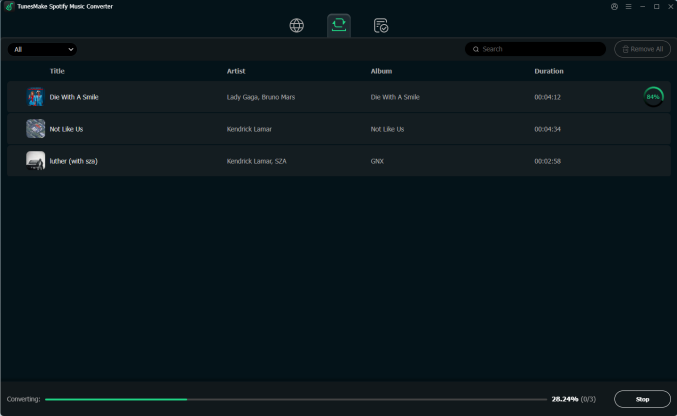
To remove DRM from Spotify downloads, click the Convert button to initiate the conversion of Spotify music. TunesMake Spotify Music Converter will download DRM-free songs from Spotify and save them to your computer automatically. After completing the conversion, you can click the Converted icon to open the history list.
Part 3. Free Spotify DRM Removal for All Platforms
By using TunesMake Spotify Music Converter, you can save Spotify music to your hard drive and transfer them to to your mobile device or other devices without limits. If you are looking for a free Spotify DRM removal, try to use the following tools. With those tools, you can download and save DRM-protected Spotify music.
No.1 SpotiFlyer (Android, Windows, macOS, Linux)
SpotiFlyer is a multiplatform music downloader that supports downloading music from Spotify, SoundCloud, YouTube, Gaana, and Jio-Saavn. It is currently running on Android, Mac, Windows, and Linux. As a free Spotify downloader, it can help you download Spotify links to Spotify and save unprotected local music files. To crack Spotify DRM, SpotiFlyer is a good optio
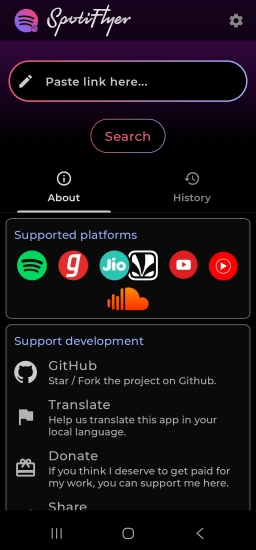
Step 1. Start by installing SpotiFlyer Spotify Music Downloader on your device then launch it.
Step 2. Find the music you want to download on Spotify and copy the music link.
Step 3. Paste the link into the search bar and tap on the Search button to load Spotify songs.
Step 4. Tap on the Download All button to download and save DRM-free Spotify songs.
No.2 Telegram Bot (Android, iOS)
Telegram is committed to offering its users various services, including downloading music from Spotify for free. As lots of bots are available in Telegram, you can find a Telegram bot for Spotify download. By using a Telegram bot to download Spotify songs, you can get DRM-free music tracks without a Premium subscription on your device.
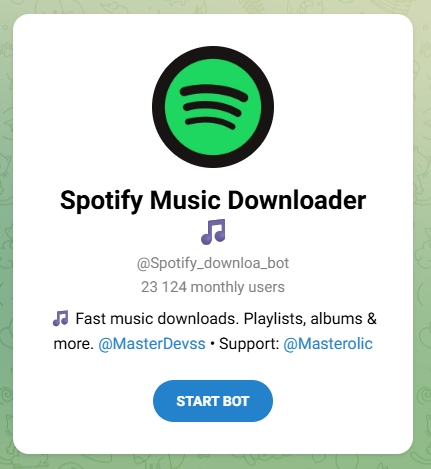
Step 1. Launch Spotify on your iPhone and locate the music you want to download, then copy the music link.
Step 2. Open Telegram and find a Spotify music downloader.
Step 3. Tap on the Start button and input the copied link into the chatting window.
Step 4. Tap on the Send button to find and load Spotify songs for downloading.
Step 5. Tap on the Download button to download and save Spotify music files to your device.
No.3 SpotifyMate (Android, iOS, Windows, macOS, Linux)
SpotifyMate is an online Spotify music downloader that can download songs, playlists, and albums from Spotify without a premium subscription. In the process of downloading Spotify music, SpotifyMate will crack the DRM protection. After downloading, you can get a DRM-free Spotify music file for playing on any media player or device.
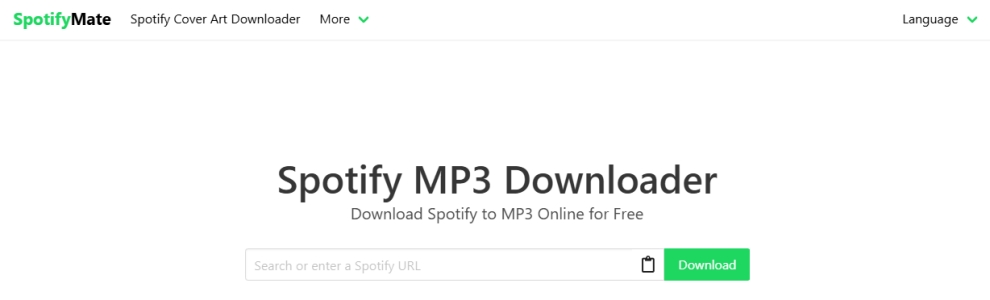
Step 1. Open Spotify and find any music track you want to download.
Step 2. Copy the music link and navigate to the SpotifyMate website.
Step 3. Paste the copied music link and click the Download button.
No.4 AllToMP3 (Windows, macOS, Linux)
AllToMP3 is a Spotify DRM removal freeware that can download music from Spotify to MP3 by inputting the music link. It is compatible with most mainstream operating systems, including Windows, macOS, and Linux. In addition to ripping music from Spotify, it can extract music from SoundCloud, Deezer, and YouTube.
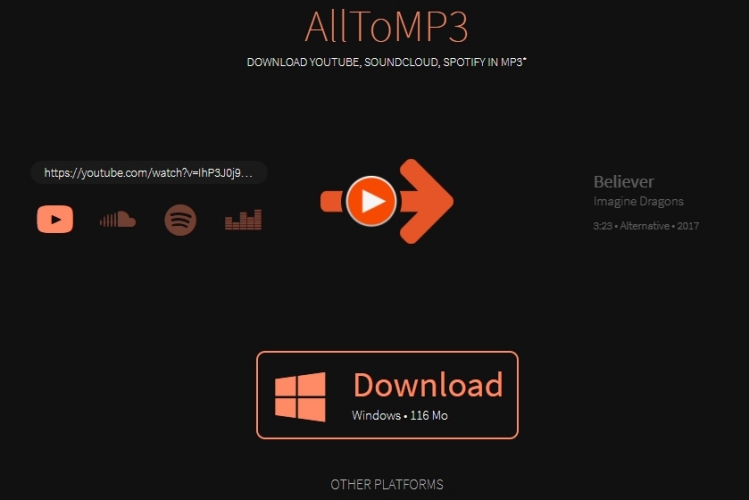
Step 1. Launch Spotify and browse your music library.
Step 2. Find any music track to download and get the music link.
Step 3. Navigate to AllToMP3 and input the music link.
Step 4. Press the Enter button on your keyboard.
Part 4. FAQs about Spotify DRM Removal
Is it legal to remove DRM from Spotify?
In a sense, the attitude towards DRM that Spotify users have mirrors its unfairness. All the users cannot accept why they cannot own those songs downloaded with a premium subscription. So, in some areas, the use of Digital Rights Management cannot be accepted universally. But in some countries and regions, there are several laws to criminalize the circumvention of DRM. Therefore, it is difficult to judge whether it is legal to remove DRM from Spotify.
Will Spotify ban you for DRM removal?
Yes, Spotify can and does ban users for using DRM removal tools. The exact likelihood of getting banned depends on how the audio is captured. Using a professional, stable Spotify DRM removal can reduce the risk of being banned by Spotify.
How to remove DRM from Spotify for free?
Removing DRM protection from Spotify for free is possible. Because direct audio converting tools usually require a paid subscription, the safest and most reliable free methods rely on audio recorders like Audacity or using open-source, web-based platforms like SpotiFlyer.
Are Spotify downloads DRM free?
No, all the downloads on Spotify with a premium subscription are cache files only playable in Offline Mode. This means you can listen to Spotify downloads when you don't have a network connection. And you cannot use your Spotify downloads on other platforms. Once you stop subscribing to a premium plan, those Spotify downloads are invalid.
Part 5. Conclusion
That's all about Spotify DRM removal. After removing DRM from Spotify downloads, you can freely play them on any device or use them on any platform. To remove Spotify music DRM protection, TunesMake Spotify Music Converter is a better option for Windows and Mac. This way, you can get DRM-free Spotify music tracks and keep them forever.
Related Articles

A senior editor from TunesMake, dedicated to sharing professional tutorials and solutions of software, movies, and music.
- 1
- 2
- 3
- 4
- 5
- 6
- 7
 Leave Your Comment
(0)
Leave Your Comment
(0)

 Download Center

