








 Store
Store


Listening to high-resolution tracks on Amazon Music requires hardware capable of handling demanding audio streams. While traditional MP3 players rely on simple local storage, streaming Amazon Music, especially in HD or Ultra HD, demands digital audio players (DAPs) with built-in Wi-Fi, modern operating systems, and dedicated audio components.
Whether you want a portable Android player for full streaming access, a compact companion for workouts, or an audiophile-grade DAP, finding the best MP3 player for Amazon Music comes down to software support and sound processing power.
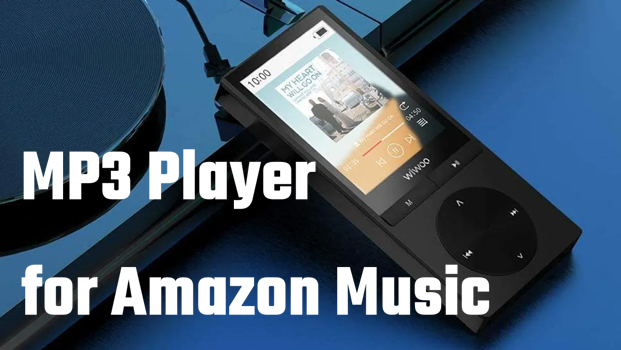
Part 1. Requirement for MP3 Player That Streams Amazon music
Not every digital portable device can run streaming audio apps. Amazon Music features both standard quality streams and lossless formats like Amazon Music HD (16-bit/44.1kHz) and Ultra HD (up to 24-bit/192kHz). To play Amazon Music on an MP3 player without converting files, the device must meet specific hardware standards.
1️⃣ Android Operating System: The player needs Android 8.0 or higher with Google Play Store access to download and update the official Amazon Music application.
2️⃣ Sufficient RAM: A minimum of 2GB to 3GB of RAM ensures the Amazon Music app runs smoothly during playback and offline sync.
3️⃣ Dedicated DAC: High-end audio chips handle the processing of 24-bit/192kHz Ultra HD tracks without downgrading sampling.
4️⃣ Expandable Storage: Uncompressed HD audio files consume roughly 50MB to 150MB per song. A microSD expansion slot up to 1TB is essential for offline caching.
Part 2. 5 Best MP3 Player for Amazon Music to Listen to Music
Listening to Amazon Music on a dedicated portable media player offers a huge upgrade over a smartphone, giving you distraction-free playback, better battery life, and superior audio hardware. However, because Amazon Music's catalog relies on streaming authorizations, not every MP3 player that can play Amazon Music. Here are the best MP3 player compatible with Amazon Music.
| Feature | Sony NW-A306 | HiFi Walker G7 Pro | A&K A&norma SR35 | Innioasis G1 | Mighty 3 |
|---|---|---|---|---|---|
| Platform | Full Android | Full Android | Customized Android | Locked Android | App-managed |
| Display | 3.6" HD TFT Touchscreen | 5.2" HD IPS Touchscreen | 3.6" HD Tilted Touchscreen | 4.0" HD LCD Touchscreen | None |
| Storage Capacity | F32 GB Internal | 32 GB Internal | 64 GB Internal | 16 GB ROM | 8 GB |
| MicroSD Expansion | ✔️ | ✔️ | ✔️ | ✔️ | ❌ |
| Battery Life | ~36 Hours | ~62 Hours | ~20 Hours | ~25 Hours | ~8 Hours |
| Price Tier | Mid-Range (~$350) | Budget-Mid (~$100–$110) | Premium (~$800) | Budget (~$50–$70) | Entry (~$120–$130) |
| Best For | On-the-go Music Enthusiasts | Audiobook & Podcast Listeners | Audiophiles & Critical Listeners | Kids, Detoxers, Everyday Users | Athletes & Fitness Enthusiasts |
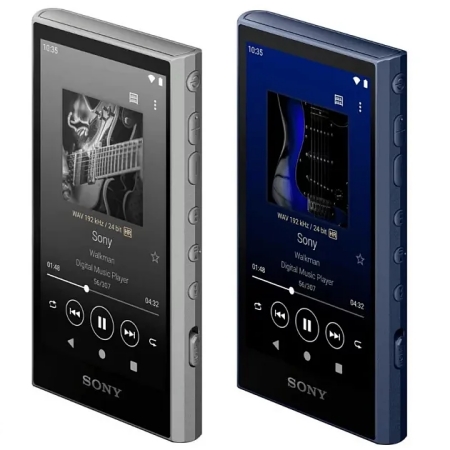
No.1 Sony Walkman NW-A306 — Best Overall Portable Player
Sony Walkman NW-A306 is a compact, high-resolution Digital Audio Player (DAP) designed for music enthusiasts who want to separate their listening experience from their smartphone. Running on full Android OS with Google Play Store access, it offers the flexibility of downloading streaming services like Spotify and Amazon Music alongside playing local high-res file libraries.
😀 Pros
- Ultra-compact and lightweight
- High-res wireless audio via Sony LDAC codec
- Impressive local playback battery life
☹️ Cons
- Limited onboard storage out-of-the-box
- Modest amplifier output power
- Slightly sluggish Android UI

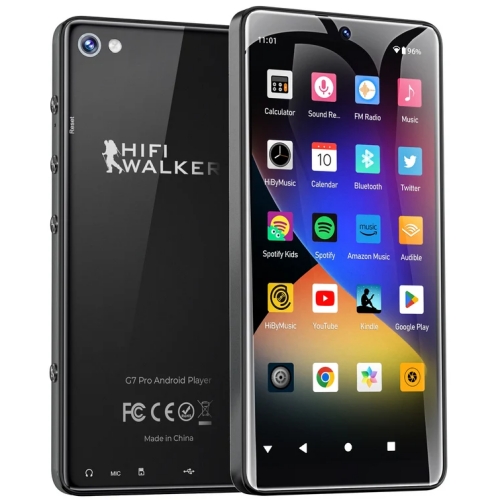
No.2 HiFi Walker G7 Pro — Best Value High-Resolution DAP
HiFi Walker G7 Pro is a versatile, budget-friendly Android digital audio player designed to provide a phone-free music, audiobook, and media experience. Built like a miniature smartphone without cellular distraction, it combines full Android OS capabilities with long battery life and solid audio components at an accessible sub-$100 price point.
😀 Pros
- Excellent value
- Large screen for reading e-books
- Very generous RAM for smooth app performance
☹️ Cons
- Larger form factor
- Basic audio hardware
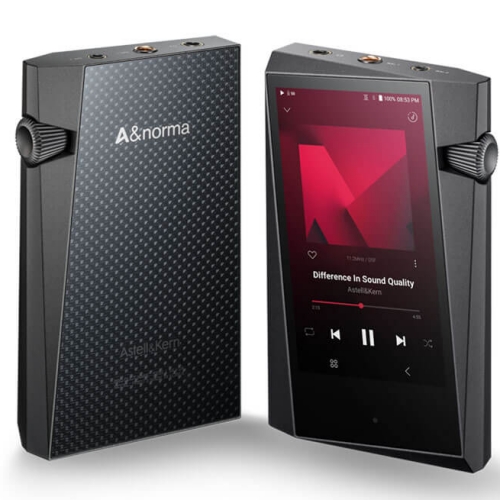
No.3 Astell & Kern A&norma SR35 — Best Premium Audiophile Player
Astell & Kern A&norma SR35 is a premium, compact DAP engineered specifically for audiophiles who demand reference-grade sound quality in a portable footprint. Featuring Astell & Kern's signature geometric design, a Quad-DAC architecture, and high-output amplification, it serves as an entry point into high-end audio without compromising on signal processing capabilities.
😀 Pros
- Reference-grade sound quality
- Balanced output options
- Premium materials and craftsmanship
☹️ Cons
- Significantly higher price tag
- Customized operating system for sound
- Drain battery fast
No.4 Innioasis G1 — Best Affordable Android Media Player
Innioasis G1 is an entry-level, budget-friendly Android media player designed as a distraction-free alternative to smartphones. Built primarily for audio streaming, local media playback, and e-books, it provides modern app accessibility without social media or general web bloat. If you are looking for an MP3 player that can play Amazon Music, it is an ideal option.
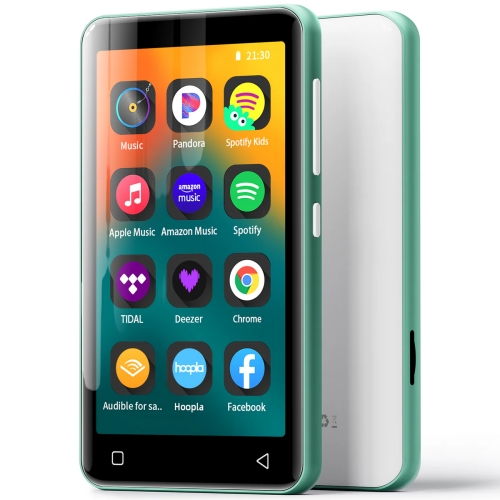
😀 Pros
- Highly affordable entry point into smart streaming DAPs
- Great battery life for local music playback
- Ideal for kids due to app installation restrictions
☹️ Cons
- Cannot download new, unlisted apps from Google Play Store
- Older Bluetooth standard
- Lack high-end DACs for demanding headphones
No.5 Mighty 3 — Best Screenless Player for Fitness
Mighty 3 is a compact, screenless digital music player designed to function like a modern, streaming-era iPod Shuffle. Engineered specifically for workouts, kids, and digital detoxing, it allows users to take their streaming playlists offline without lugging around a smartphone or dealing with screen notifications.
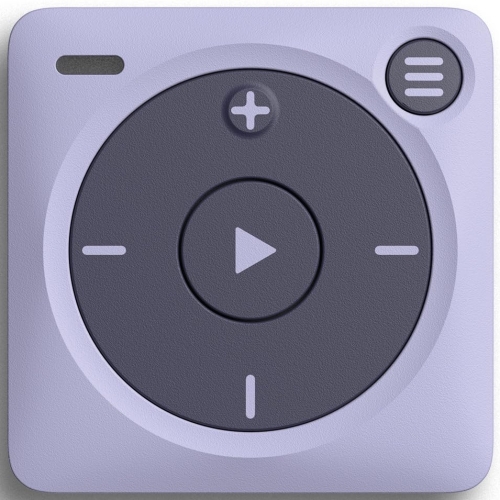
😀 Pros
- Zero screen glare or digital distractions
- Easy offline sync with and Amazon Music
- Featherlight and durable
☹️ Cons
- Require an Amazon Music subscription to work
- Cannot drag-and-drop local MP3 files manually
- No screen
Part 3. How to Play Amazon Music on Non-Android MP3 Players
If you own a traditional non-Android player, such as a basic SanDisk Clip, AGPTEK, or older digital audio player, you cannot install the Amazon Music app directly onto the hardware. However, you can still play purchased Amazon Music MP3 tracks using a computer or listen to streaming Amazon Music tracks with an Amazon Music Converter.
Method 1. Transfer Purchased Amazon Music MP3s to MP3 Player
If you bought albums or single tracks directly from the Amazon Digital Music Store, Amazon provides standard, unprotected MP3 files that can be transferred directly to any portable media player. Go to play your purchased Amazon Music downloads on an older MP3 player.
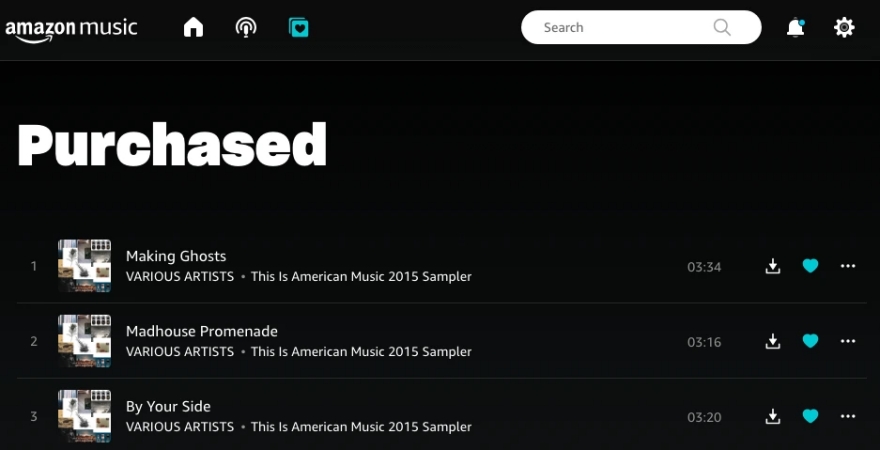
Step 1. Open a web browser on your computer and navigate to the Amazon Web Library.
Step 2. Click on Library and filter by Purchased.
Step 3. Click the three-dot icon next to a track or album and select Download.
Step 4. Save the .mp3 files into a dedicated folder like Downloads or Music on your local drive.
Step 5. Connect your MP3 player to your computer using a USB data cable.
Step 6. Open Windows File Explorer on a Windows PC or Finder on a Mac.
Step 7. Locate your MP3 player listed under external drives.
Step 8. Drag and drop your downloaded .mp3 files into the Music folder on the MP3 player.
Method 2. Convert Amazon Music to MP3 for Playing on MP3 Player
If you use Amazon Music Unlimited or Prime Music subscriptions and want to play your curated playlists on a non-Android MP3 player, offline downloads saved directly through the Amazon Music app will not transfer because they are encrypted cache files intended exclusively for playback inside the official app.
In this scenario, TunesMake Amazon Music Converter can solve the compatibility issue. It allows you to download Amazon Music tracks and convert them into open audio formats such as MP3, FLAC, or WAV, while retaining original sound quality along with essential ID3 tags. Once converted locally to your computer, you simply transfer them into your non-Android MP3 player.

Streaming Audio Recorder –
Download music from Amazon Music unlimitedly
- Download songs, albums, and playlists from Amazon Music
- Convert Amazon Music to MP3, M4A, M4B, WAV, FLAC, and AIFF
- Remove DRM protection from Amazon Music completely and safely
- Preserve the original audio quality and ID3 tags for management
- Support downloading music from 10 popular streaming platforms
Security Verified. 100% Clean & Safe.
Step 1. Launch TunesMake Streaming Audio Recorder and click Amazon Music.
Step 2. Select any music track, album, or playlist to download and convert.
Step 3. Go to set the output audio format, sample rate, and channel.
Step 4. Click the Convert button to download and convert Amazon Music tracks.
Step 5. Connect your MP3 player to the computer and transfer the downloaded audio files.
Part 4. FAQs about MP3 Player with Amazon Music
Can I download music from Amazon Music to my MP3 player?
Yes, provided your MP3 player runs Android OS and supports the official Amazon Music app. Within the app, you can download songs, albums, and playlists to internal storage or a microSD card for offline playback without Wi-Fi.
How much storage space do I need for downloading Amazon Music?
Standard MP3 files average 3MB to 5MB per track. HD audio files require approximately 50MB per song, while 24-bit Ultra HD files can require up to 150MB per track. If you plan to save large offline HD playlists, use a high-speed microSD card with at least 128GB to 256GB of capacity.
Will Amazon Music work on a traditional MP3 player?
Streaming subscriptions like Amazon Music Unlimited do not work on basic MP3 players due to DRM requirements. These devices can only play standard, non-DRM audio files like purchased Amazon MP3 downloads transferred manually via a computer. To make streaming music tracks play on a basic MP3 player, you can use an Amazon Music Converter like TunesMake Streaming Audio Recorder.
Part 5. Conclusion
Selecting the right portable player for Amazon Music ultimately comes down to balancing your budget, audio expectations, and lifestyle needs. Whichever device you choose, stepping away from smartphone playback delivers a dedicated, higher-quality audio experience designed purely around your music. If you have a traditional, non-Android media player, you can still listen to Amazon Music by purchasing tracks from Amazon Digital Store or converting tracks with TunesMake Streaming Audio Recorder.
Related Articles


A professional writer at TunesMake, crafts in-depth tutorials, practical tips and expert advice focusing on streaming music, technology, and more.
- 1
- 2
- 3
- 4
- 5
- 6
- 7
 Leave Your Comment
(0)
Leave Your Comment
(0)

 Download Center

