








 Store
Store


If you have built up an extensive library of audiobooks on one Audible account and want to move those titles to a partner, family member, or newly created profile, you are likely looking for a straightforward "Transfer" button. Unfortunately, because of license agreements between Audible and audiobook publishers, you cannot directly transfer official account ownership of an Audible book from one account to another.
However, that does not mean you are completely out of options. Depending on whether you want to share a library, preserve unused credits, merge old logins, or listen to your files locally across any device, there are several effective solutions available. Here is a complete, step-by-step guide to help you manage and share your audiobooks based on your specific needs. Let's dive into how to transfer Audible books to another account.
Part 1. Can You Transfer Audible Books to Another Account?
No, you cannot directly transfer owned Audible books from one account to another. A purchased Audible title is permanently linked to an Amazon or Audible account used to buy it. You cannot click a button to move that digital asset into a completely separate individual's account history.
Despite this limitation, Amazon provide built-in mechanisms that allow users to achieve the exact same end result whether that means sharing a shared library across household members, spending leftover credits on someone else, or merging older legacy profiles. Furthermore, use a third-party tool like TunesMake Audible Converter to get unprotected Audible titles for backup.
Part 2. How to Transfer Audible Books to Another Account
Fortunately, Amazon offers built-in features that allow you to share titles across family members or spend remaining balances effectively. Before diving into the step-by-step guides, use this comparison table to identify the best solution for your situation.
| Features | Amazon Household | Audiobook Gifting | Account Merge | TunesMake Audible Converter |
|---|---|---|---|---|
| Best For | Share your library with a partner or family member | Use up unused credits on a secondary account | Combine an old Audible username with an Amazon login | Back up books as local audio files for any device or player |
| Requires Extra Payment | No | Use existing credits or money | No | Require a license |
| Permanent Ownership Transfer | No | Yes | Yes | Yes |
| Key Advantages | Seamless in-app sharing; no password sharing need | Recipient keeps the book permanently even if you close your profile | Unify purchases, credits, and subscriptions under one login | Remove DRM limits; keep chapters and original quality; play anywhere |
| Main Limitations | Max 2 adults per household; both accounts must be in the same marketplace region | Apply only to new purchases made with credits/cash, not existing library books | Work only for old username-based accounts | Require a computer to perform conversion |
Method 1. Share Audibooks via Amazon Household (Best for Families)
If your goal is to let a partner, spouse, or child listen to audiobooks in your collection on their own phone or tablet, setting up an Amazon Household is the easiest official option. This creates a shared Family Library that grants both accounts access to purchased Audible titles without sharing account passwords.
What You Need Before Starting:
-
Two adult Amazon or Audible accounts registered in the same marketplace region.
-
A shared credit or debit card attached to the household profile for verification.
Steps to Share Audible Books with Other Accounts
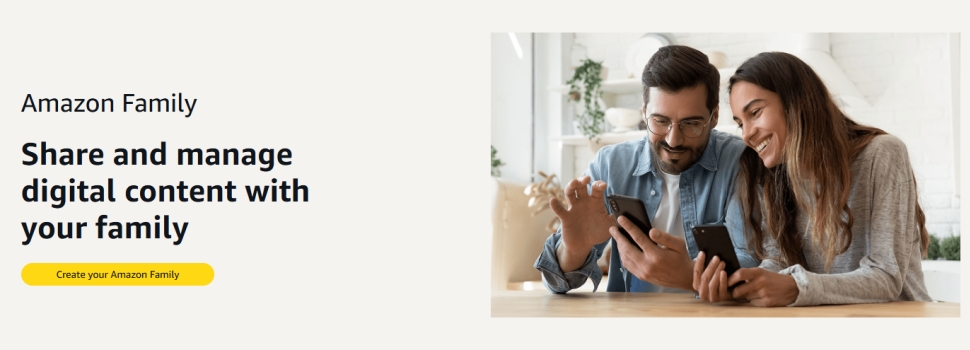
Step 1. Visit the Amazon Household setup page on Amazon's website and log in.
Step 2. Click Add Adult and enter the email address linked to the second account.
Step 3. Send the invite and inform the recipient to accept the invitation.
Step 4. Navigate to the Manage Your Content and Devices page on Amazon.
Step 5. Click on the Content tab, then select Audiobooks.
Step 6. Select the audiobooks you want to share.
Step 7. Click Add to Library and select the household member.
The second account holder can open the Audible app on a smartphone or Audible Cloud Player on a computer, tap Library, and filter by Shared Content to stream or download the shared books.
Method 2. Use Extra Credits to Gift Audiobooks (Best for Unused Balances)
If you plan to close an old account that still holds unused Audible credits, you cannot transfer those credits directly as balance. However, you can convert those credits into audiobooks and send them as gifts to your primary profile or a friend's profile. Once redeemed, the gifted title stays permanently in the recipient's personal collection.
Steps to Send an Audible Book as a Gift to Other Accounts
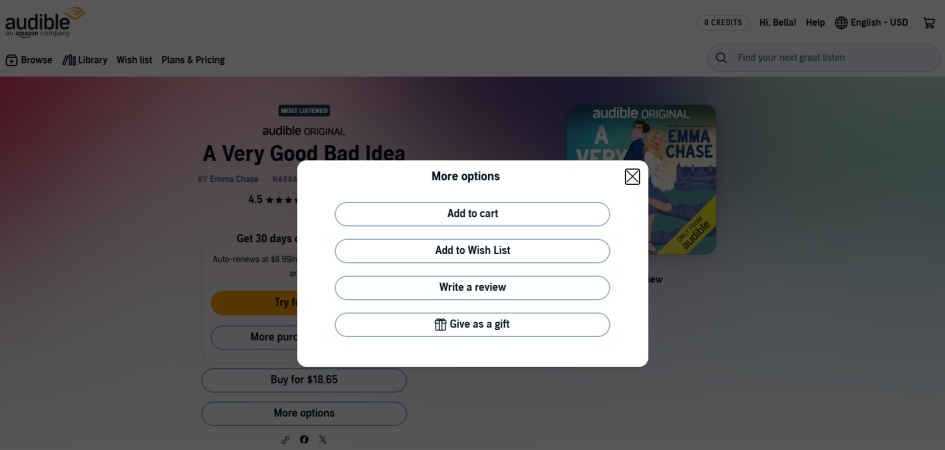
Step 1. og into the Audible account containing the unused credits.
Step 2. Search for the audiobook title you want to move.
Step 3. On the product page, click Give as a gift located near the buying options.
Step 4. Select Email as the delivery method and enter the email address of the receiving account.
Step 5. Choose a delivery date, add an optional note, and click Continue.
The receiving account owner will receive an email containing a redemption link. Clicking this link permanently adds the audiobook directly to their personal Audible library.
Method 3. Merge Audible Accounts with Amazon (Best for Account Upgrades)
In Audible's earlier years, users created standalone accounts using custom usernames rather than email addresses linked to Amazon. If you maintain an old username-based profile and want to consolidate those titles under your modern Amazon login, you can perform an official account merge between Audible and Amazon accounts.
Note:
This process only works when merging an old username account into an Amazon account. Amazon cannot automatically merge two separate, modern email-based Amazon accounts that both contain separate purchase histories.
Steps to Merge Audible and Amazon Accounts

Step 1. Log into the Audible desktop site using your original username.
Step 2. Click your name at the top of the page and select Account Details.
Step 3. Locate the prompt banner reading "Link your Audible account to an Amazon account".
Step 4. Click Merge now at the top of the screen.
Step 5. Log into the destination Amazon profile and confirm the consolidation.
Method 4. Back up and Convert Audible Titles (Best for All Needs)
If you want to share audiobooks outside of an immediate household or access files across non-Audible media players, account DRM restrictions become a hurdle. TunesMake Audible Converter provides a practical workaround for managing your files locally.
While TunesMake Audible Converter cannot alter Audible's cloud database to transfer account ownership, it addresses the core issue by downloading and converting your purchased Audible AA or AAX audiobooks into open audio formats like MP3, M4B, M4A, FLAC, WAV, or AIFF. Then you can move the converted files to a USB drive, cloud storage, or local player on another user's device so they can listen offline without needing access to your Audible account credentials.

Streaming Audio Recorder –
Download Audible audiobooks to popular audio formats
- Download purchases, podcasts, and Originals from Audible
- Convert Audible books to MP3, M4A, M4B, WAV, FLAC, and AIFF
- Remove DRM protection from Audible efficiently and safely
- Preserve the original audio quality and chapter information
- Support downloading audios from 11 popular streaming platforms
Security Verified. 100% Clean & Safe.
Step 1 Import Audible Books to the Conversion List
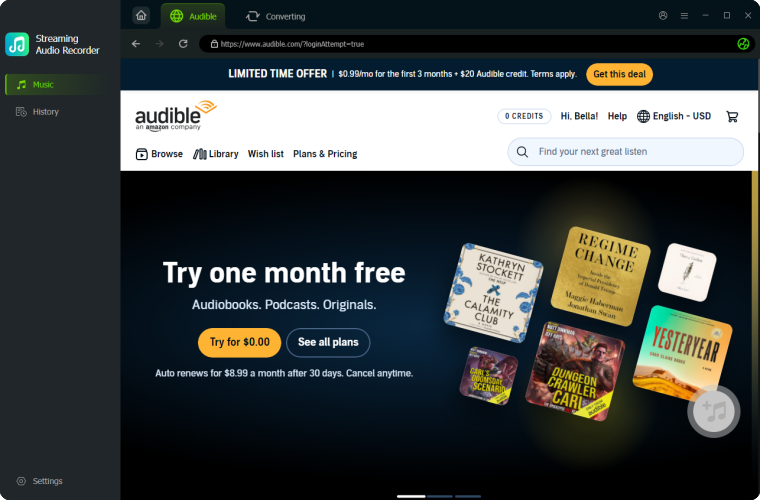
Upon launching TunesMake Streaming Audio Recorder on your computer, then select Audible on the main interface and log into with your Audible account credentials in the built-in Audible Web Player. Go to the Library tab, find your purchased titles, and add them into the conversion list by clicking the Add button.
Step 2 Set the Output Audio Format as MP3
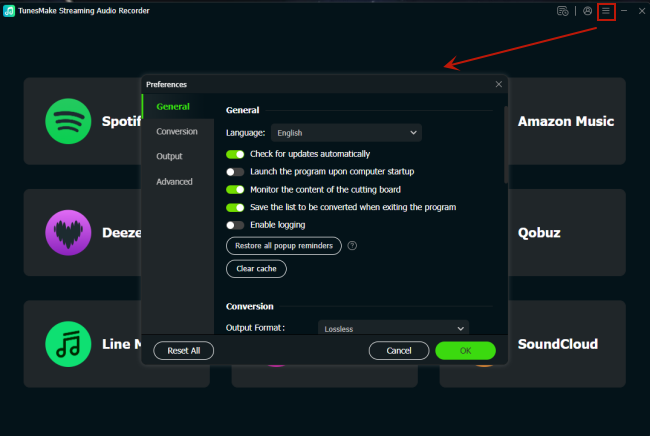
After your Audible books are added, you can click the Settings button at the bottom left corner. In the Settings window, you can set the output audio format, channel, sample rate, and bit rate. Here you can select MP3 and set it as the output audio format. Then you can click the OK button to save your changes.
Step 3 Download Audible Audiobooks to MP3
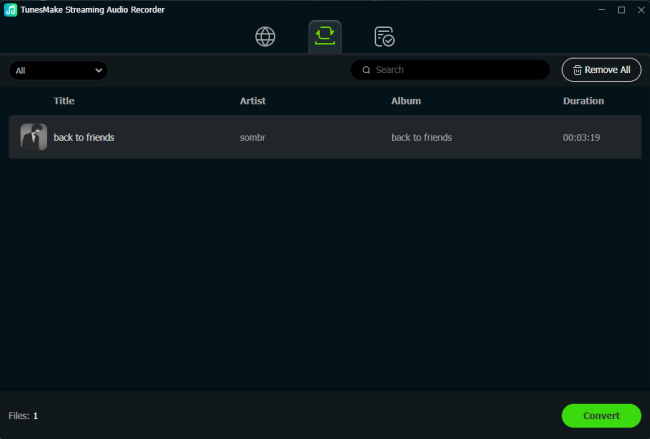
Finally, find the Convert button at the bottom right corner and click it to start the conversion of Audible audiobooks. TunesMake will immediately download and save Audible audiobook files on your computer. After the conversion, you can click the History button to view all the Audible files you have downloaded.
Part 3. FAQs about Audible Transfer Books to Another Account
Can you transfer unused Audible credits directly?
No. Audible credits are non-transferable between profiles. To avoid wasting credits before cancelling a subscription, use them to gift audiobooks to your main profile.
What happens to shared books if an Amazon Household is dissolved?
If an Amazon Household is unlinked, access to shared digital content is immediately removed. Each account retains only the audiobooks originally purchased under its specific login.
Will I lose my audiobooks if I cancel my Audible membership?
No. Audiobooks you purchased with cash or credits remain in your library permanently, even if you cancel your active monthly membership.
Is converting Audible files legal for personal use?
Converting audiobooks you have legitimately purchased for personal backup, offline listening, or format shifting generally falls under personal fair use in many jurisdictions. However, redistributing or selling converted files violates copyright regulations and Audible's Terms of Service, so conversion tools should be used responsibly for personal backup purposes only.
Part 4. Conclusion
While you cannot perform an in-app ownership transfer of an Audible book from one account to another, choosing the right method depends on what you want to achieve. To share a shared library with a family member in the same region, you can use Amazon Household. If you have leftover credits on an account you plan to close, you can gift Audible books. Or you can merge an old, pre-Amazon username account into a new one. Ultimately, it is ideal to use TunesMake Audible Converter to save local Audible file backups for playing your purchased audiobooks on any non-Audible player or device.
Related Articles


A professional writer at TunesMake, crafts in-depth tutorials, practical tips and expert advice focusing on streaming music, technology, and more.
- 1
- 2
- 3
- 4
- 5
- 6
- 7
 Leave Your Comment
(0)
Leave Your Comment
(0)

 Download Center

