








 Store
Store


Whether you're prepping for a long flight or trying to save on mobile data, knowing how to download music from Deezer is essential for many music lover. While Deezer offers a seamless offline experience for its premium subscribers, there are different ways to handle your library depending on your device and needs. In this guide, we will walk you through how to download music from Deezer, even though you don't have a premium subscription.
Part 1. How Can I Download Music from Deezer?
The offline listening feature is available to all Deezer paying subscribers, whether you're a Deezer Student, Deezer Premium, Deezer Duo, Deezer Family, Deezer HiFi or Deezer Family HiFi user. With such a paid account, you can download your favorite content, including albums, audiobooks, tracks and playlists, in the Deezer app. However, it's important to understand the difference between streaming and downloading.
When you download music through the official Deezer app, the files are encrypted and cached. This means you can listen to them without an internet connection, but you cannot move these files to another app or a generic MP3 player. In addition, unlimited downloads of Deezer music are limited to 3 devices. To break those restrictions, there are other ways to help you download music from Deezer. Here are the main ways to download music from Deezer.
| Feature | Official Deezer App | Deezer Music Downloader | Deezer Premium APK | Deezer Telegram Bot | Deezer Recorder |
|---|---|---|---|---|---|
| Ease of Use | High | High | Low | Low | Low |
| Audio Quality | Up to HiFi (FLAC) | Up to 320kbps | Moderate | Low | Low |
| File Format | Encrypted Cache | MP3, FLAC, WAV, AIFF, M4A, WAV, M4B | MP3 | MP3 and FLAC | MP3 |
| Portability | App Only | Any Device | Any Device | Any Device | Any Device |
| Subscription Required | Active Paid Plan | None | None | None | None |
| Security | High | High | Low | Low | Low |
Part 2. Best Ways to Download Music from Deezer
When you want to download music from Deezer, you are faced with a choice: stick to the official Deezer app or use a third-party Deezer music downloader. Both are ideal for enjoying your library without an internet connection, but they serve very different purposes. Depending on your demands, you can choose one of the two ways to download Deezer music.
2.1 How to Download Deezer Music via the Official Deezer App
For the vast majority of users, the most reliable and high-quality way to enjoy your Deezer music offline is through the official Deezer application. This ensures you get the highest audio quality if you have a paying account. But the Deezer web player does not support downloads.
Download Deezer Music on Mobile (Android & iOS)
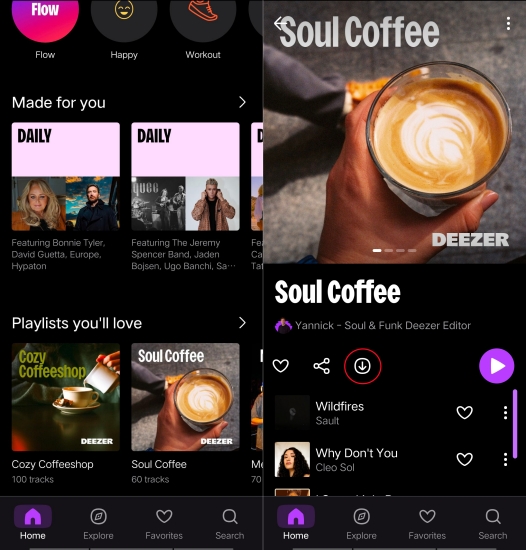
Step 1. Open the Deezer app and navigate to Favorites (the heart icon).
Step 2. Select the Playlists or Albums tab, then tap the Download button.
Download Deezer Music to Computer (PC & Mac)
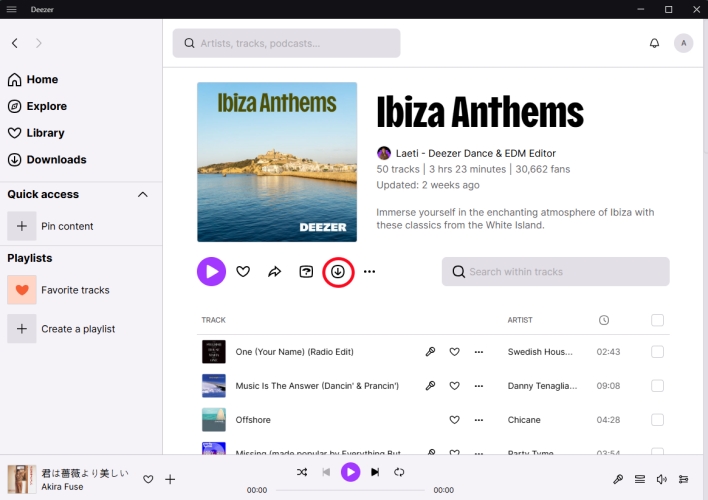
Step 1. Launch the Deezer app and open the album or playlist you wish to save.
Step 2. Click the Download button located next to the Play button.
Trade-off:
The main limitation is that the files are encrypted cache only playable within the app. You cannot move them to a USB drive or play them on a device that doesn't support the Deezer app.
2.2 How to Download Deezer Music via a Deezer Music Downloader
If you need to download music from Deezer to MP3 or other common formats, a professional Deezer music downloader is a better choice. It is ideal for users with dedicated MP3 players or those who want to use their music in video editing like CapCut or DJ software like Serato DJ. TunesMake Deezer Music Converter is a practical solution for users who prioritize download speed, audio quality, and metadata accuracy.
As a efficient music downloader, TunesMake Deezer Music Converter can effectively remove the encryption of the official app and convert tracks into MP3, FLAC, WAV, or more open formats in 46× batch downloading speeds without significant loss in audio fidelity. Also, it automatically keeps track titles, artists, and album at organized for better use in external media players. Follow is the steps to download Deezer music with TunesMake.

Streaming Audio Converter -
Download music from Deezer as MP3 Formats
- Download tracks, albums, playlists, and artists from Deezer
- Convert Deezer music to MP3, M4A, FLAC, AIFF, WAV, and M4B
- Preserve the original audio quality and ID3 tags for management
- Remove DRM from Deezer without compressing audio quality
- Support downloading music from 10 popular streaming platforms
Security Verified. 100% Clean & Safe.
Step 1Set up the Output Parameters for Deezer
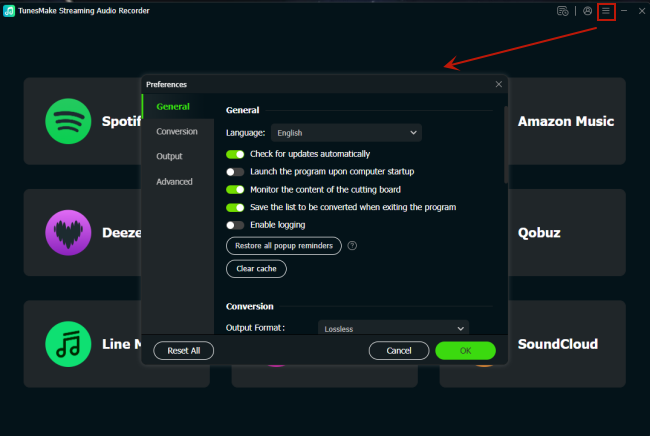
Simply install and launch TunesMake Deezer Music Converter on your computer. By default, the output audio format is MP3. If you want to save Deezer music to FLAC or other formats, you can click the top Menu icon > Preferences. In the Preferences window, you can select the output audio format and set the bit rate, sample rate, and channel.
Step 2 Add Deezer Tracks to the Conversion List
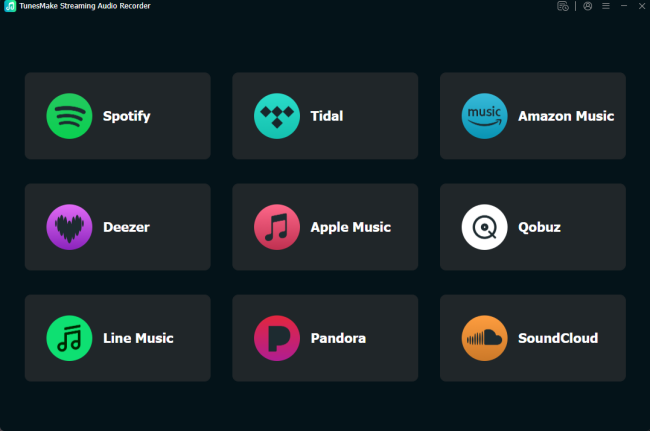
Once the settings is complete, go back to the main interface to select Deezer and sign into your Deezer account in the web player. Select any song, album or playlist you like, then click the Add icon at the bottom right corner. After that, you can pick all the songs you want to download and add them the conversion list by clicking Add to List.
Step 3 Start to Download Music from Deezer
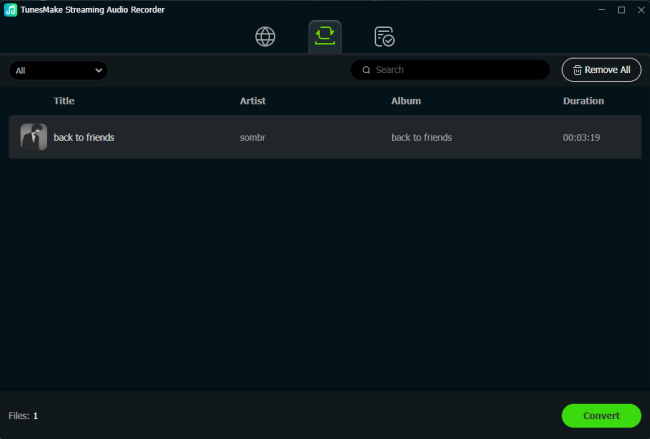
Finally, you can click the Convert button to initiate the process of downloading and converting Deezer music to your computer. TunesMake software will download Deezer songs at 46× faster speed. Wait for a while, and you can go to check all the converted songs in the history window by switching to the Converted window.
Trade-off:
A Deezer music downloader usually require a separate purchase and an active Deezer subscription. Additionally, it is necessary to choose a right Deezer music downloader.
Part 3. How to Download Deezer Music for Free (High Risks)
If you only need a few Deezer tracks to download and don't want to pay for premium subscription or specialized software, you can use the recording method. By recording music from Deezer, you can also get DRM-free music tracks. But the audio quality is not as good as downloading through the official Deezer app or a Deezer music downloader.
Method 1. Download Deezer Music via Telegram Deezer Bot
Telegram bots like @deezload2bot or @DeezerMusicBot function as automated interfaces. You can send a Deezer link of the song, album, or playlist to the bot, and it uses a backend server to fetch the audio file and send it back to you as a downloadable MP3 or FLAC file. Follow the steps below to find a Telegram Deezer bot to download Deezer music.
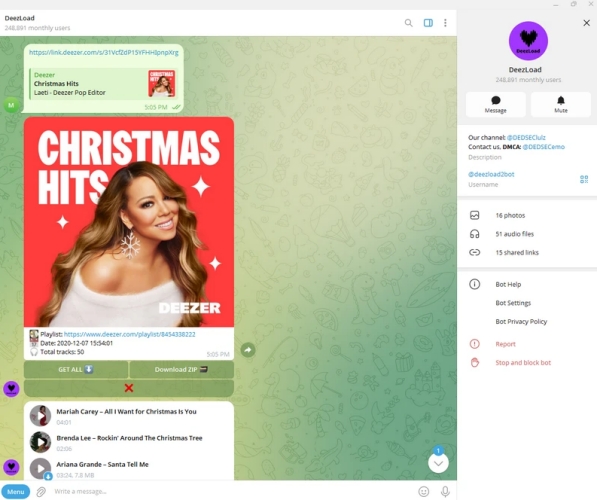
Step 1. Search for @deezload2bot or @DeezerMusicBot in the Telegram search bar.
Step 2. Tap the Start button to initialize the command sequence.
Step 3. Type /settings to choose your preferred format like MP3 or FLAC.
Step 4. Copy a URL from the Deezer app and paste it into the bot's chat.
Step 5. Wait to process the request and reply with a file.
Step 6. Tap the three dots on the file and select Save to Music.
Trade-off:
Deezer's automated security systems can sometimes detect unusual API calls from these bots, which may put your official account at risk of being flagged or banned.
Method 2. Record Music from Deezer via Deezer Recorder
Audacity is a free open-source and cross-platform audio recording tool that allows you to manually record music from Deezer on Windows, macOS, and Linux computers. It offers various audio formats, including MP3, FLAC, WAV, and more. The process of recording Deezer Music is difficult and also consumes too much time as you can only record tracks one by one in real-time.
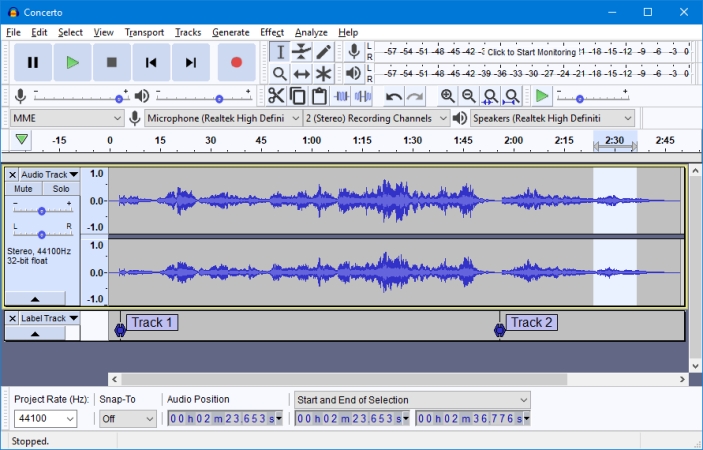
Step 1. Open Audacity and click Edit > Preferences from the top menu bar.
Step 2. In the Audio Settings section, unfold the Host panel and choose Windows WASAPI.
Step 3. Select your primary output device, then set to 2 (Stereo) and 44,100 Hz.
Step 4. Open the Deezer app and click the Red Record button in Audacity.
Step 5. Switch to Deezer and play the song. Once the song ends, click the Black Stop button in Audacity.
Step 6. Go to File > Export > Export as MP3 or Export as WAV to save the recorded song.
Trade-off:
This is a manual, real-time process. If a song is 4 minutes long, it takes 4 minutes to record. You also have to manually enter the song title and artist information.
Method 3. Download Deezer Music via Deezer Premium APK
A modded APK is a version of the Android application package that has been altered by a third-party to bypass the subscription check. The goal is usually to unlock "Premium" features like offline downloads and ad-free listening without a paid account. If you want to download music from Deezer for free, using a Deezer Premium APK is a option.
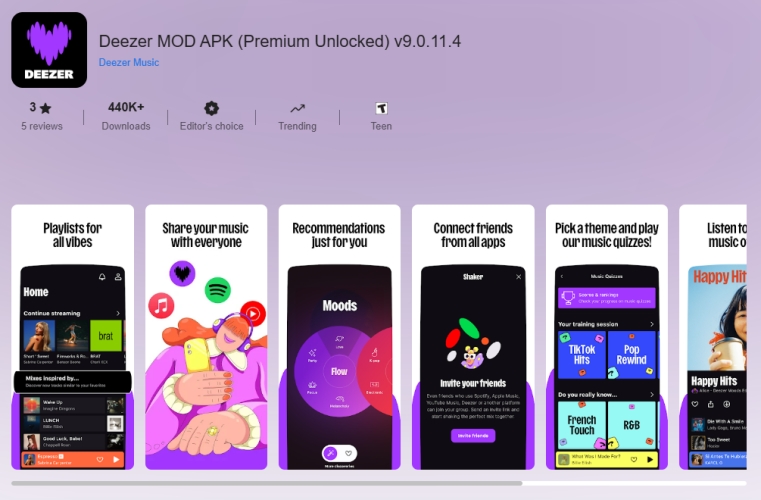
Step 1. Find a Deezer Premium APK on the internet and install it to your phone.
Step 2. Run the tool and log into your Deezer account.
Step 3. Locate your music library and select the content to download.
Trade-off:
Since these files are distributed through unofficial, unverified websites, they are common vectors for spyware, adware, and data theft. Also, it could cause permanent account bans.
Part 4. FAQs about Deezer Music Download
Can I download music from Deezer for free?
No. Official offline listening is a feature reserved for paid subscribers. But some methods like using a Deezer music downloader or Deezer recorder can help you download music from Deezer without a paid subscription account.
Do my Deezer downloads expire?
Yes. You must connect the Deezer app to the internet at least once every 30 days to verify your subscription and keep your downloads active. If you download your liked Deezer songs as permanent music files, you don't need to worry about the 30-day expiration.
Is it legal to use a Deezer downloader?
Downloading for personal use is a grey area in many regions, but distributing copyrighted music is illegal. Always use these third-party tools responsibly.
How to configure Deezer HiFi downloads?
To ensure you are getting the best possible audio when you download music from Deezer, you can configure the settings before starting. Open the Deezer app and tap the Settings. Select Audio, then tap High Fidelity under the Download over WiFi section.
Part 5. Conclusion
If you are a premium subscriber who just wants to listen on your phone during your commute, stick to the official app. It provides the best experience and supports the artists you love. However, if you are a collector or a DJ who needs permanent, high-quality files for external hardware, a professional converter like TunesMake Deezer Music Converter is a worthwhile investment for your digital library. For causal download, those free tools like Audacity and Telegram Deezer bot can give enough help.
Related Articles


A senior editor from TunesMake, dedicated to sharing professional tutorials and solutions of software, movies, and music.
- 1
- 2
- 3
- 4
- 5
- 6
- 7
 Leave Your Comment
(0)
Leave Your Comment
(0)

 Download Center

