








 Store
Store


It is an accepted fact that streaming is the best choice to listen to music without downloading. To benefit from streaming, you need to subscribe to a premium on streaming services, then you are eligible to access the huge music catalog in the library. However, all streaming tracks aren't available for you once the subscription ends. This is why quite a few avid music lovers opt to purchase music. Being affiliated with the online shopping giant, Amazon Music is a great store to buy digital music. No matter what reason you choose to buy Amazon Music, this post will tell you how to get it done on every device.
Part 1. The Difference Between Buying and Streaming
Before we dive into the steps, it is important to clarify one thing: You do not need an Amazon Music Unlimited subscription or Amazon Prime account to buy music. The primary difference between downloading for offline use in a streaming app and buying a song is permanence.
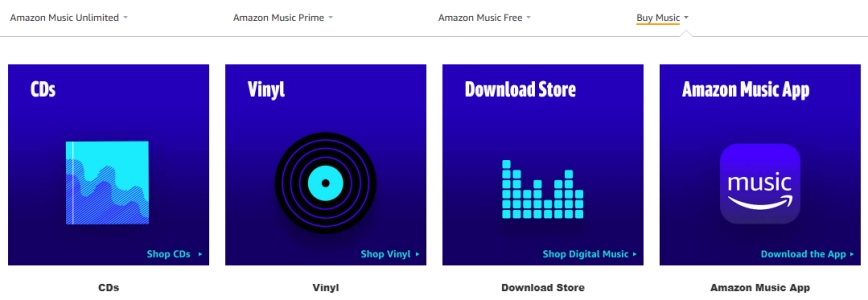
- No Monthly Fee: Once you buy a song or album from the Amazon Digital Music Store, you own it forever and never have to pay for it again.
- Universal Compatibility: You can download the MP3 files to your computer and move them to any device without needing the Amazon Music app.
Buying music on Amazon allows you to build a permanent collection that belongs to you forever. Whether you're an audiophile looking for reliable backups or someone looking to cut down on monthly subscription costs, here is how you can buy and own your music through Amazon's Digital Store. Let's see how to buy music on Amazon Music across devices.
Part 2. How to Buy Songs/Albums on Amazon Music
Now you have got a general idea of Amazon Digital Music. With an Amazon Music membership, it is easy to download songs for offline listening. But songs are not in MP3 formats. Hence, it makes sense to purchase Amazon Music and own the physical music files. Follow these steps to purchase Amazon Music on a computer or mobile phone.
Buy Music on the Amazon Website
Amazon has separated its streaming service from its digital storefront. Using a web browser on a computer or a mobile phone is the most straightforward way to buy music and manage your permanent music library.
Step 1. Go to the Amazon Digital Music Store in a browser on your device.
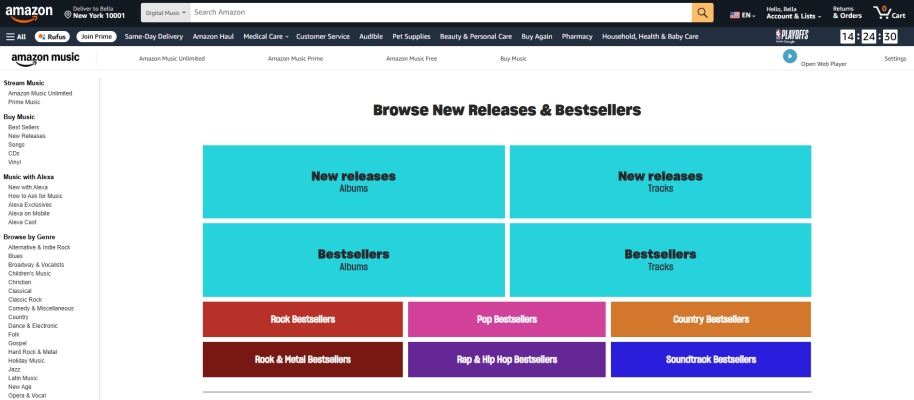
Step 2. Use the search bar to find the artist, song, or album you want.
Step 3. Enter the song or album information page, then click Purchase Options.
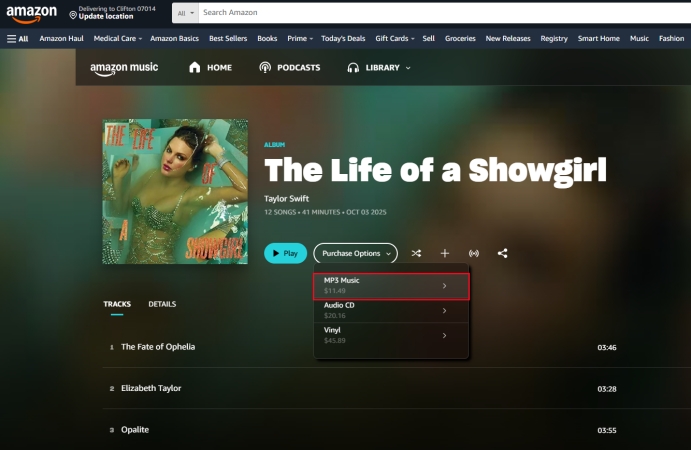
Step 4. Select MP3 Music or others and click Buy MP3 Album - Buy Now.
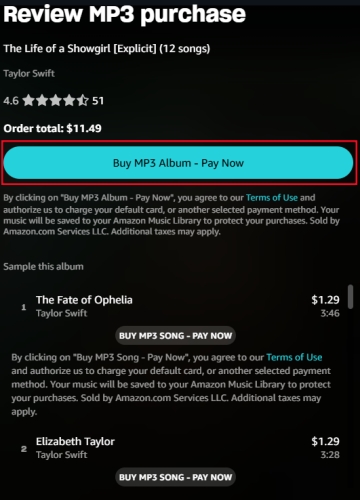
Step 5. Confirm your purchase using your linked Amazon payment method.
Where Does My Purchased Amazon Music Go?
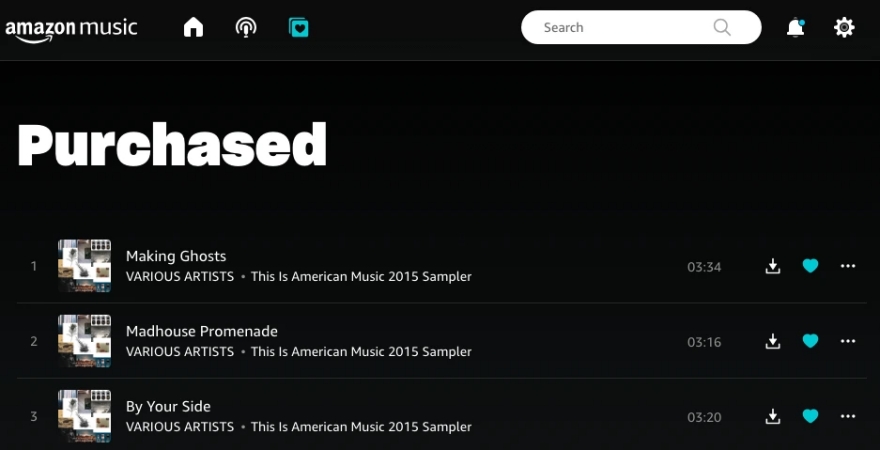
Once the transaction is complete, your music is automatically added to your cloud library. To find it, you can open your Library and filter by Purchased. Then your new tracks will appear here, ready to be streamed or downloaded.
Buy Music in the Amazon Music App
If you are using the Amazon Music app on your computer or phone, you can browse your music library and select the content to download. But finally, you must use the web browser to confirm the purchase option and complete the payment.
Step 1. Open the Amazon Music app and log into your Amazon account.
Step 2. Use the search feature to find a song or album you want to buy.
Step 3. View the detailed information and click the three-dot icon.
Step 4. Select Buy Album, then you'll be redirected to the Amazon website.
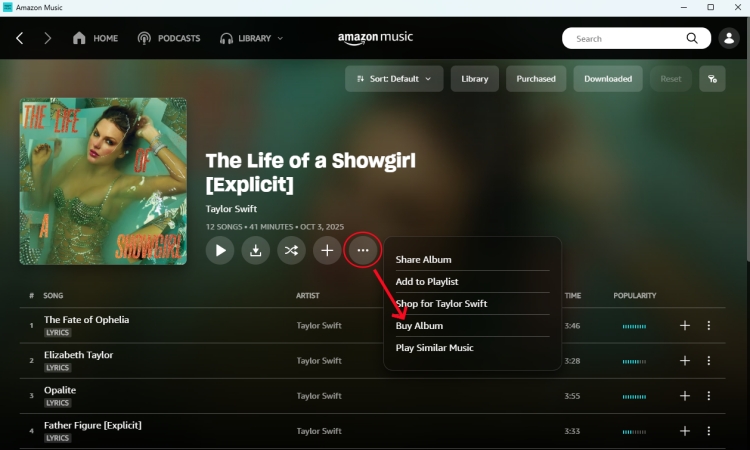
Step 5. Click the Purchase Options button and select MP3 Music or others.
Step 6. In the pop-up window, click Buy MP3 Album - Buy Now.
Step 7. Enter your payment information to your MP3 purchases.
Buy Music via Alexa & Voice Commands
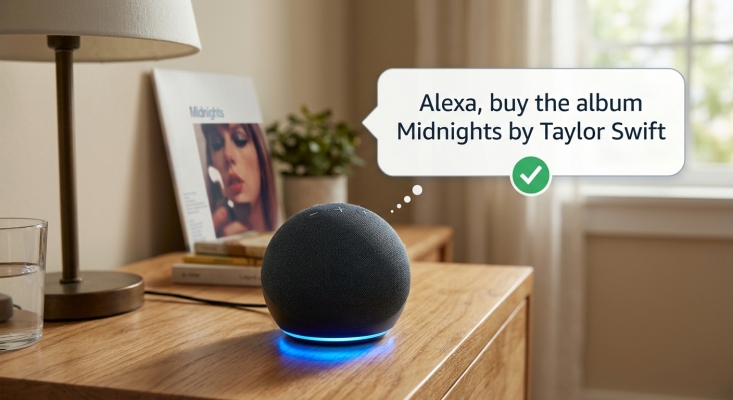
If you own an Echo device, you can purchase music using just your voice. This is a convenient way to grab a song the moment you hear it. Just say, "Alexa, buy [Song Name] by [Artist]." Alexa will state the price and ask for your confirmation. Once purchased, the music is immediately added to your cloud library and can be played on any Alexa-enabled device.
Part 3. How to Downloaded Purchased Music on Amazon
Ownership isn't complete until you have the files stored locally. To truly own the file and play it in other media players like iTunes or Windows Media Player, you should download the physical MP3 file to your hard drive. Now grab the steps below to download purchased Amazon Music songs.
Downloading to a Computer (Recommended)
Step 1. Open the Amazon Music Desktop app or visit the website.
Step 2. Navigate to Library > Songs and select the Purchased filter.
Step 3. Click the three-dots (menu) next to a song or album and select Download.
Your files are saved as 256kbps MP3s, which are compatible with almost any media player. Now you can transfer them to other devices for playing or share them with other people
Downloading to a Phone
While you can download music for offline playback within the Amazon Music app, the actual MP3 files are hidden within the app's data. To get the actual file onto your phone's storage, it is easiest to download the music to a computer first, then transfer it to your phone via USB or a cloud service like Google Drive.
Part 4. How to Buy Amazon Digital Song at Discount
Buying music on Amazon at a discount often requires a bit of strategy, as individual MP3 prices are generally fixed. However, savvy shoppers can use several hidden methods to lower the cost or even get music for free. Here are the most effective ways to buy Amazon digital songs at a discount.
Method 1. Make Use of "No-Rush" Shopping (Best for Prime Members)
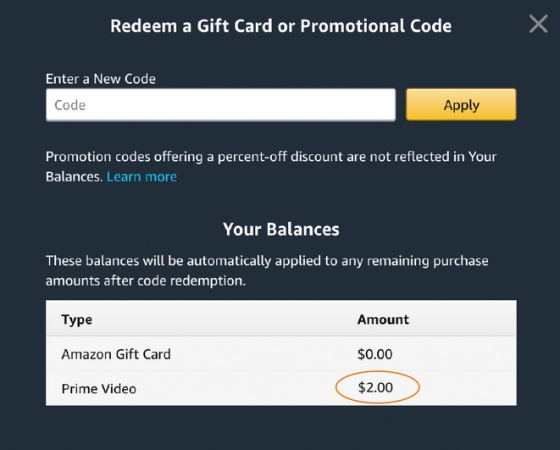
This is the most consistent way to get free money for digital music. If you are an Amazon Music Prime member, choose No-Rush Shipping or Amazon Day Delivery during checkout for physic items. Amazon often grants a $1.00 to $3.00 Digital Credit per order. These credits are automatically applied to your next digital purchase, including individual songs or albums.
Method 2. Take Advantage of Auto-Rip
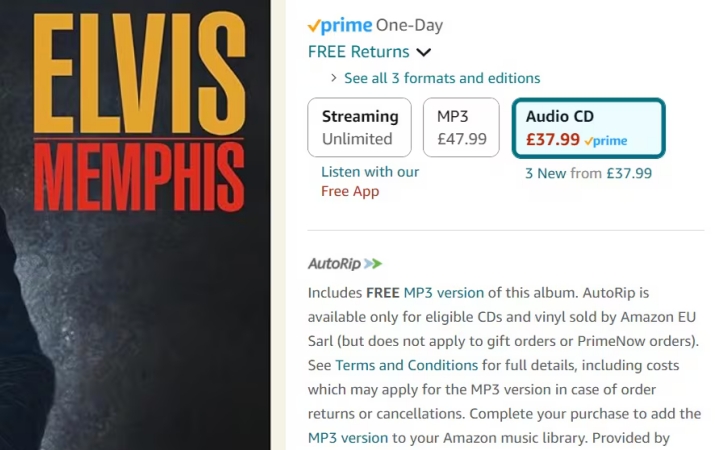
Before buying a digital album, check the price of the physical CD or Vinyl version. Many physical albums include "Auto-Rip." This means when you buy the physical copy, the MP3 version is added to your digital library immediately at no extra cost. Sometimes the physical CD is on sale for $5.00, while the digital album is still $9.99. Buying the CD gets you both for the lower price.
Method 3. Ship During Major Sales Events
While individual songs rarely go on "clearance," Amazon often runs promotions during its major shopping holidays.
- Prime Day (July & October): Look for "spend $X, get $Y" digital credits or bundled deals on music.
- Big Spring Sale (March): Amazon has recently added this event to its calendar, occasionally offering promotional credits for digital services.
- Black Friday/Cyber Monday: Digital albums often see significant price drops sometimes as low as $3.99 to $5.99 during the holidays.
Method 4. Use Amazon Gift Card Promotions
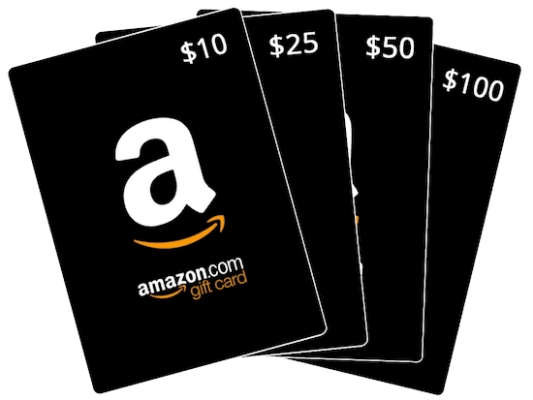
Keep an eye on "recharge" promotions. Amazon occasionally offers a $5 or $10 bonus when you reload your gift card balance with $100 or more. Using that bonus specifically for your music library essentially gives you several free songs.
Method 5. Consolidate with a Music Converter
If your goal is to save money by avoiding multiple purchases or subscription fees, some users utilize tools like TunesMake Amazon Music Converter. Instead of buying individual songs, you can download your library with the converter, ensuring it works on all your device without needing a constant internet connection or a recurring Amazon Music Unlimited subscription fee.

Streaming Audio Recorder –
Download music from Amazon Music unlimitedly
- Download songs, albums, and playlists from Amazon Music
- Convert Amazon Music to MP3, M4A, M4B, WAV, FLAC, and AIFF
- Remove DRM protection from Amazon Music completely and safely
- Preserve the original audio quality and ID3 tags for management
- Support downloading music from 10 popular streaming platforms
Security Verified. 100% Clean & Safe.
Method 6. Watch for "Artist Spotlight" and Daily Deals
Amazon still hosts a "Digital Music Deals" page often found under the "Deals" tab in the Music section. While less common than they used to be, you can still find:
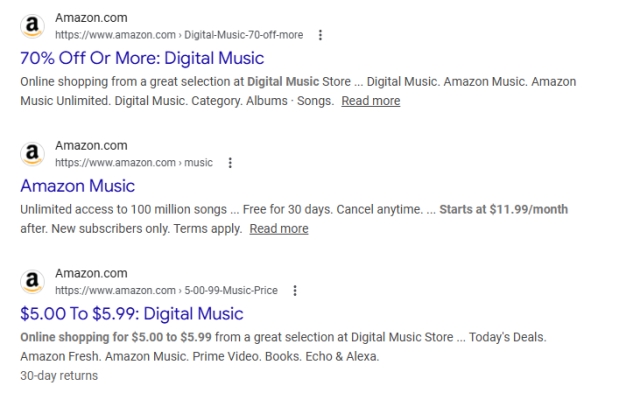
- Daily $0.69 Songs: Selected tracks discounted from the standard $1.29.
- Discounted New Releases: Major albums are sometimes discounted during their first week of release to boost chart rankings.
Part 5. FAQs about Buying Digital Music on Amazon
Do I need to pay for Amazon Music Unlimited to buy songs?
No. You only need a standard, free Amazon account to purchase, download, and own MP3 music tracks from the store. Once purchased, you can keep all music tracks forever and listen to them on any device.
Can I buy music in Ultra HD (FLAC)?
Currently, individual digital purchases on Amazon are provided in MP3 format (256kbps). Ultra HD and Spatial Audio are generally reserved for the Music Unlimited streaming service and are not available as permanent downloads.
Can I redownload my music if I lose the file?
Yes. Amazon keeps a record of your purchases in the Cloud Player, allowing you to redownload your music multiple times if you switch computers or phones. You can download your purchased music in the Amazon Music app or web player at anytime.
Can I share my purchased music with family?
Since the files are DRM-free MP3, you can manually move the files to other devices in your household, though they are technically licensed to your specific Amazon account.
What is Auto-Rip in Amazon Music?
When you buy a physical CD or Vinyl record from Amazon that features the Auto-Rip logo, Amazon will automatically add the MP3 version of that album to your digital library for free. It appears in your Amazon Music library the moment your physical order ships.
Part 6. Conclusion
While streaming is convenient for discovering new artists, buying music on Amazon is the best way to ensure your all-time favorites are always available, regardless of internet connection or subscription status. If you are looking for a more cost-effective way to get Amazon MP3 songs for backup, consider using TunesMake Amazon Music Converter. It is another perfect choice to save your money as well as download Amazon Music tracks in DRM-free MP3 files.
Related Articles

A professional writer at TunesMake, crafts in-depth tutorials, practical tips and expert advice focusing on streaming music, technology, and more.
- 1
- 2
- 3
- 4
- 5
- 6
- 7
 Leave Your Comment
(0)
Leave Your Comment
(0)

 Download Center

