








 Store
Store


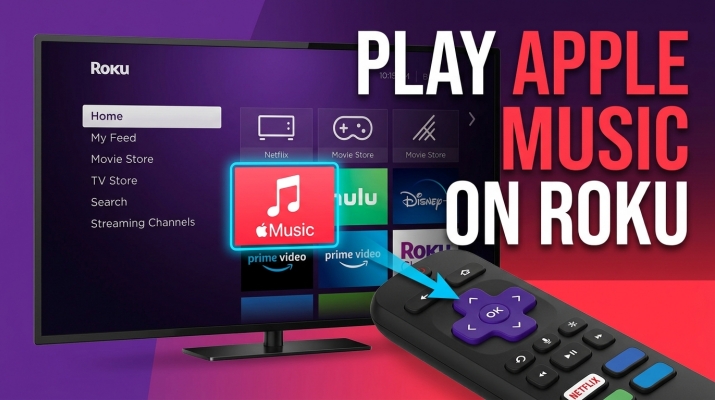
Enjoying your favorite spatial audio albums, curated playlists, and live radio stations on the big screen is entirely possible if you want to get Apple Music on Roku. Whether you own a modern Roku TV, a streaming stick, or a Roku Ultra box, streaming your favorite tracks through your living room sound system enhances your listening experience. Today, here we will talk about how to play Apple Music on Roku in several methods.
Part 1. Does Roku Have Apple Music?
Yes, Roku has official support for Apple Music. You can access it by directly installing the Apple Music app on your Roku device. Also, you can choose to cast Apple Music to your Roku device via AirPlay or download Apple Music songs to a USB drive for playing on your Roku device offline.
| Feature | Official Roku App | Apple AirPlay 2 | USB Playback |
|---|---|---|---|
| Primary Requirement | Active subscription and a modern Roku device running Roku OS 10.0+ | Active subscription, an Apple device, and AirPlay-compatible Roku | An active subscription, a USB drive, and Apple Music converter |
| Control Device | Roku remote | iPhone, iPad, or Mac | Roku remote |
| Internet Dependency | Constant, stable internet required | Constant, stable Wi-Fi network required | None |
| Audio Quality | Standard streaming quality | Standard compressed stream | Preserve original audio fidelity |
| Ease of Setup | Fast and straightforward | Instant | Require extra computer setup and file transfer |
| Best For | Everyday standalone TV listening without using secondary devices | Quick wireless casting from Apple ecosystems | Offline listening, bad Wi-Fi areas, or media players |
Part 2. How to Get Apple Music on Roku via Official App
The most straightforward way to listen to your library is by installing the Apple Music app directly from the Roku Channel Store. Roku Channel Store is the application store that allows you to access multiple streaming services on your Roku device. And the Apple Music app also can be found here. Here's how to get Apple Music on Roku via a direct app installation.
What You Need Before You Start:
-
An Active Apple Music Subscription: You will need an active individual, student, or family plan linked to a valid Apple ID.
-
A Compatible Roku Device: The official Apple Music app runs on most current Roku devices and Roku TV models running Roku OS 10.0 or later.
-
A Stable Wi-Fi Connection: A strong internet connection ensures smooth, buffer-free music streaming.
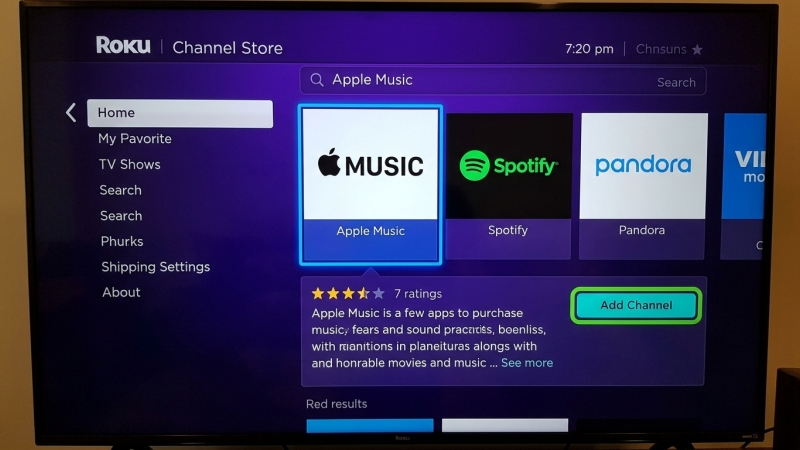
Step 1. Press the Home button on your Roku remote to access the main menu.
Step 2. Scroll down and select Streaming Channels to open the Roku Channel Store.
Step 3. Select Search and type in "Apple Music" using the on-screen keyboard.
Step 4. Highlight Apple Music from the search results and select Add Channel.
Step 5. Once installed, launch the Apple Music app from your home screen.
Step 6. Select Sign In and choose to log in using your Apple ID credentials or via the QR code scan.
😀 Pros
- Direct control without needing a secondary device
- Automatically syncs and displays Apple Music library
- Clean UI tailored specifically for television screens
☹️ Cons
- Lack support for high-end audio features
- Require an active, constant internet connection
- No offline listening or local file saving
Part 3. How to Cast Apple Music to Roku via AirPlay 2
If you use an iPhone, iPad, or Mac, you can bypass downloading the Apple Music app entirely by casting audio or screen directly to your Roku device using built-in AirPlay 2 support.
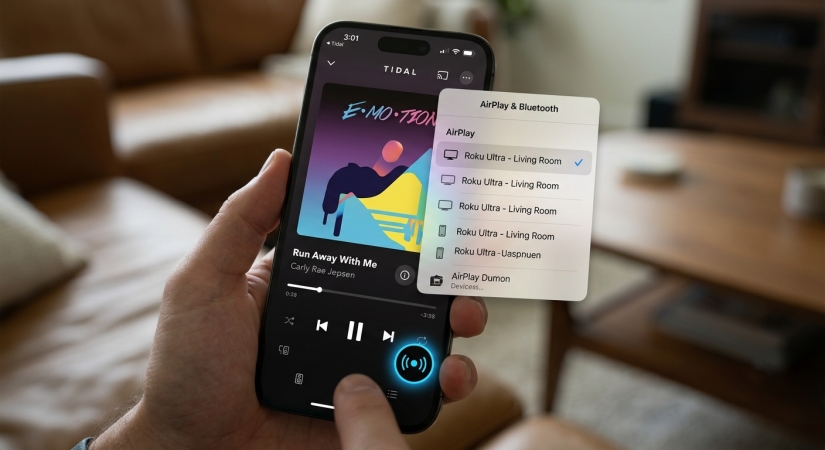
Step 1. Ensure your Apple device and your Roku device are connected to the same Wi-Fi network.
Step 2. On your Roku device, go to Settings > Apple AirPlay and HomeKit and enable AirPlay.
Step 3. Open the Apple Music app on your Apple device and select a song or album to play.
Step 4. Tap the AirPlay icon located at the bottom of the playback screen.
Step 5. Select your Roku device from the list of available devices to start playing music instantly.
😀 Pros
- Work smoothly on almost all Roku devices
- Control everything directly from Apple devices
- Eliminate the need to install or navigate apps
☹️ Cons
- Miss out on high-resolution audio quality
- Drain the battery of the casting mobile device
- Prone to dropouts if your device has poor networks
Part 4. How to Unlock Offline Apple Music on Roku
Because the Roku application requires a constant live internet connection and does not support offline downloads for local playback, users who want greater flexibility such as listening without Wi-Fi buffering or enjoying tracks on media players often turn to saving Apple Music songs locally.
A utility like TunesMake Apple Music Converter can address this limitation by converting protected tracks into widely compatible, open audio formats like MP3, WAV, or FLAC. By stripping digital rights management while preserving original audio quality and ID3 tags, it enables users to manage their music libraries locally.

Streaming Audio Recorder –
Download Apple Music tracks for playing anytime
- Download songs, albums, and playlists from Apple Music
- Convert Apple Music to MP3, M4A, M4B, WAV, FLAC, and AIFF
- Remove DRM protection from Apple Music completely and safely
- Preserve the original audio quality and ID3 tags for management
- Support downloading music from 10 popular streaming platforms
Security Verified. 100% Clean & Safe.
Step 1 Select Apple Music Songs to Play on Roku
After installing TunesMake Streaming Audio Recorder on your Mac or PC, then open it and you'll see a list of streaming music services on the main dashboard. Click Apple Music and go to log into with your Apple Music account and password. Select any songs you want to convert and add them to the conversion list by clicking the + button.
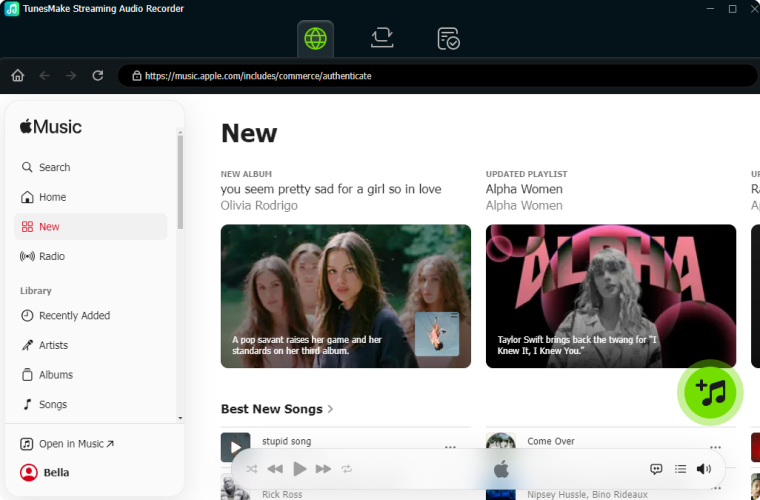
Step 2 Set the Output Audio Format for Apple Music
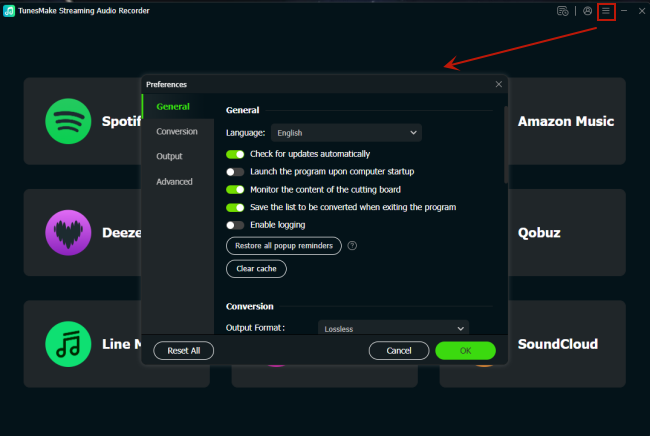
Click on the Settings button at the bottom left corner of the program to open the settings window. In the new window, you can choose the desired format such as MP3 and set other parameters like bit rate, sample rate, and channel in your case. Also, you can designate the storage folder to save your songs.
Step 3 Download and Convert Apple Music to MP3
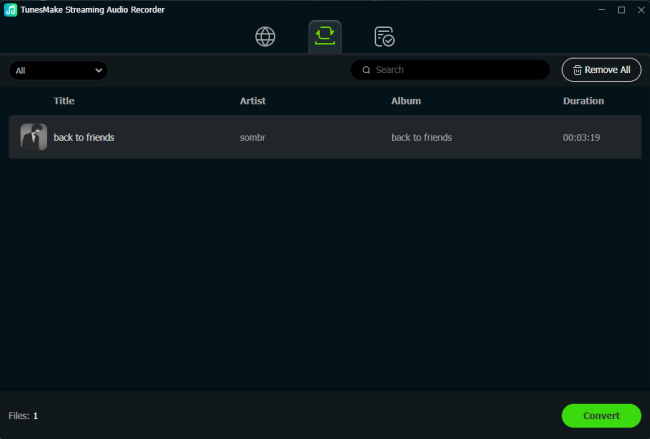
Click on the Convert button on the bottom right corner of the program. Then the conversion task will be handled by the converter automatically and immediately. After conversion, you can check out the converted Apple Music songs in the history list by clicking the History icon at the left panel of the program.
Step 4 Play Apple Music on Roku through USB Drives
Go to transfer Apple Music songs to your USB drives. Find the USB port on the Roku device and insert the USB drive into the port. Launch the Roku media player then you'll find the USB drive icon. Select your USB drive from the Roku device. Start playing Apple Music songs stored in the USB drive.
😀 Pros
- Completely bypass internet requirements
- Ultimate flexibility for playing music without app support
- Not require an active Apple Music subscription constantly
☹️ Cons
- Require an extra setup step before playing
- Involve managing physical storage media
Part 5. Fixes for Apple Music Not Working on Roku
When using Apple Music on a Roku device, many issues like Apple Music not working on Roku would happen. To fix Apple Music not working on your Roku, follow these troubleshooting steps sequentially, starting with the simplest and least invasive solutions.
Solution 1. Check Your Internet Connection
An unstable network often causes the Apple Music app to freeze or fail to load. Go to Settings > Network > Check connection on your Roku to verify your signal. If your internet is down or sluggish, restart your Wi-Fi router.
Solution 2. Restart Your Roku Device
Go to Settings > System > Power > System Restart or simply unplug your Roku device from the wall outlet for 30 seconds, then plug it back in.
Solution 3. Update the Apple Music App
Highlight the Apple Music app on your Roku home screen, press the Star (*) button on your remote, and select Check for updates.
Solution 4. Clear the Roku Cache
From the main Roku home screen, press the Home button 5 times, press the Up button once, press the Rewind button 2 times, and press the Fast Forward button 2 times. The device will clear its cache and automatically restart after about 15 seconds.
Solution 5. Reinstall the Apple Music App
Highlight Apple Music on your home screen, press the Star (*) button, and select Remove channel. Once deleted, go to Streaming Channels, search for Apple Music, and select Add channel again.
Part 6. Conclusion
Getting your Apple Music library onto the big screen is a straightforward process tailored to fit any home theater setup. While the channel store application delivers the most seamless integrated experience for modern devices, AirPlay 2 serves as a highly convenient alternative for quick wireless casting straight from your Apple ecosystem. If you frequently battle network drops or want to repurpose older offline hardware, converting your tracks with TunesMake ensures your curated playlists are always accessible via USB. Simply pick the method that matches your daily habits and hardware setup to start enjoying high-quality audio in your living room.
Related Articles

A professional writer at TunesMake, crafts in-depth tutorials, practical tips and expert advice focusing on streaming music, technology, and more.
- 1
- 2
- 3
- 4
- 5
- 6
- 7
 Leave Your Comment
(0)
Leave Your Comment
(0)

 Download Center

