








 Store
Store


In today’s media-driven world, music streaming has become a hot market, and Spotify is one of the leading names in that market. There are more than 250 million people who are using Spotify to listen to their favorite tunes. However, whether you are a Spotify Premium user or not, there’s no direct way to download Spotify music to your device, as all music from Spotify is DRM-restricted content. For users who want to keep Spotify music as a local file, only a Spotify recorder can render services. In this post, you can see the top 9 Spotify recorders in the market, including dedicated recorders and free recording tools. Plus, this post also offers a comparison between these tools, so you can pick any one that meets your demands. Now, let’s explore them together.
Part 1. How to Record from Spotify via the Best Record Tools
If you are looking for reliable methods to record music from Spotify, a dedicated and professional music recorder is your best option. In this section, you can find the top paid Spotify recording tools. With their assistance, you can record and save music from Spotify effortlessly with better audio quality and faster speed.
| TunesMake Spotify Music Converter | TunesMake Streaming Audio Recorder | Audials Music 2026 | Leawo Music Recorder | Wondershare AllMyMusic | |
|---|---|---|---|---|---|
| Supported OS | Windows and Mac | Windows and Mac | Windows | Windows and Mac | Windows and Mac |
| Output Formats | MP3, M4A, M4B, WAV, FLAC, and AIFF | MP3, M4A, M4B, WAV, FLAC, and AIFF | MP3, FLAC, and M4A | MP3, WAV | MP3, M4A |
| Sample Rate | 22050 Hz - 192000 Hz | 22050 Hz - 192000 Hz | / | / | / |
| Bit Rate | 8~320kbps | 8~320kbps | / | / | 64~256kbps |
| Conversion Speed | 12x | 12x | 1x | 1x | 1x |
| Output Quality | Lossless | Lossless | High | High | High |
| Price | From $14.95 | From $24.95 | From $49.9 | From $19.9 | From $29 |
#1 TunesMake Spotify Music Converter [Win& Mac]
To record music from Spotify, there are lots of Spotify recorders on the market, but you can’t miss the most professional and powerful Spotify recorder – TunesMake Spotify Music Converter. It’s far from being a Spotify recorder, and it’s also a Spotify music downloader.
TunesMake Spotify Music Converter’s advanced decryption technology can help you record songs, playlists, albums, and podcasts from Spotify and download them to multiple audio formats. Available options include MP3, M4A, M4B, WAV, FLAC, and AIFF. Whether you have a Premium subscription or not, you can save your favorite Spotify music with lossless audio quality and original sound quality, ensuring your listening experience. After downloading, it’s easy for you to import them to other devices for unlimited offline playback.

TunesMake Spotify Music Converter –
Best Spotify Recorder for Windows and Mac
- Unlimitedly download Spotify songs, playlists, and podcasts
- Losslessly convert Spotify music to MP3, FLAC, WAV, AIFF, etc.
- Remove ads from Spotify music tracks even with Free accounts
- Convert Spotify songs at 12X faster speed with ID3 tags kept
Security Verified. 100% Clean & Safe.
-
😀 Pros
- Available on both Windows and Mac computers
- Don’t require a Spotify Premium subscription
- Supports diverse output audio formats
- Record and download Spotify songs with lossless quality
- Allow users to customize audio settings
- Support batch-downloading
- Fast downloading speed
- Provide technical support and free upgrades
-
☹️ Cons
- Limited features for the free version
To better understand this service, here we’ll show you how to record music from Spotify by using TunesMake Spotify Music Converter. Since TunesMake Spotify Music Converter is pretty easy to use, it has an intuitive and visual interface for you to operate, and you can easily record Spotify to MP3 or other formats you like with three steps.
Step 1
Drag Spotify playlist to TunesMake Spotify Music Converter
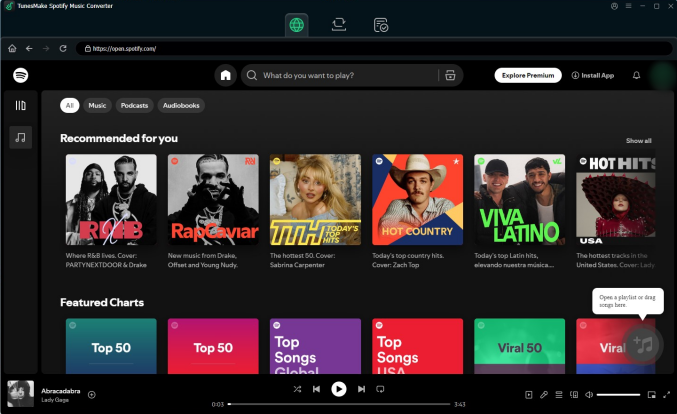
Fire up TunesMake Spotify Music Converter on your computer, and you can visit the Spotify web player on its interface. After logging in, you can select any playlist or album you like. Then, click the lower-right Add icon > Add to List to load all included music tracks to the conversion list. Alternatively, you can drag and drop a single song to the Add icon for loading.
Step 2
Customize the output parameter according to your need
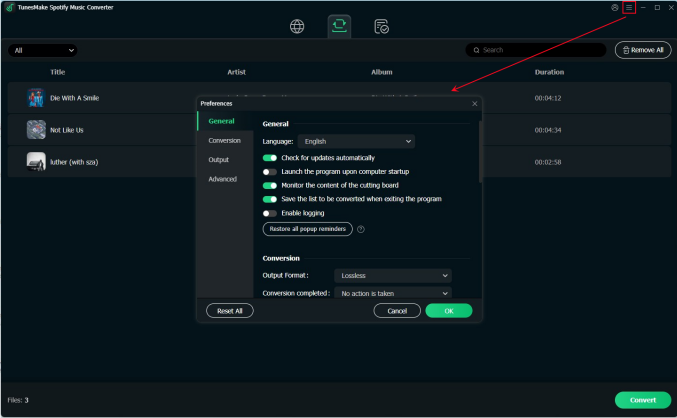
Once you’ve added the songs you want to download, you need to configure the output audio settings. Click the top Menu icon > Preference > Conversion. In the pop-up window, you can select MP3 or other formats from the list of audio formats. For a better audio quality, you can even change the output quality, channel, bit rate, sample rate, and codec.
Step 3
Start to record music from Spotify to your computer
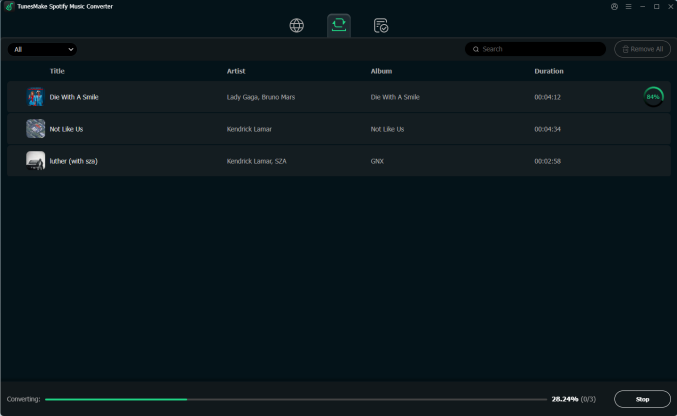
Now, you are fully prepared. Just click the Convert option at the bottom. Then, your selected Spotify music files will be saved as local files. To browse all the converted Spotify music tracks, you can click the top Converted icon, and then click the little file icon next to each track to find its exact location on your computer.
#2 TunesMake Streaming Audio Recorder [Win& Mac]
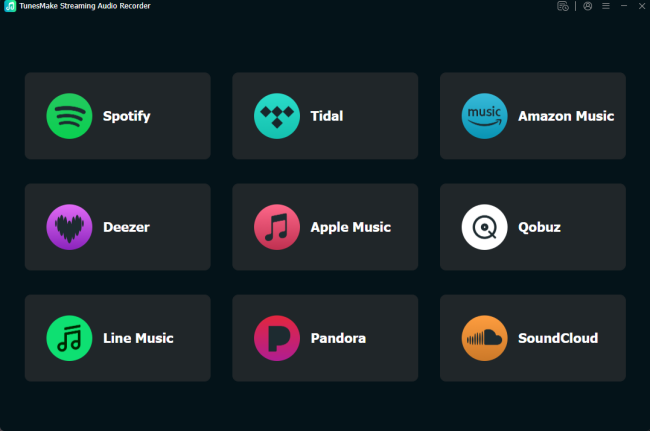
Another easy yet effective tool you can use to record music from Spotify is the TunesMake Streaming Audio Recorder. Built as a dedicated all-in-one streaming audio recorder, it’s ideal for users who rely on multiple music streaming services rather than just one platform. In addition to Spotify, this tool supports recording and downloading music from Tidal, Apple Music, Amazon Music, Deezer, LINE music, Qobuz, Pandora, SoundCloud, and YouTube Music. So, you can use it to manage and save tracks from different services in one place. Furthermore, it will keep the original sound quality during the recording and downloading process so that you can have the same enjoyment as online streaming. Compared to other recorders, TunesMake Streaming Audio Recorder enables you to the recordings in multiple formats, including MP3, M4A, M4B, WAV, FLAC, and AIFF. You can select what you need according to the device you are using.
-
😀 Pros
- Compatible with both Windows and Mac
- Support multiple music streaming platforms
- Allow you to save recordings in 6 formats
- Keep the original sound quality, ID3 tags, and lyrics (if provided)
- Easy for new beginners
- Download recordings in batches
- Allow you to set the output settings freely
- Provide technical support and free upgrades
-
☹️ Cons
- Limited features for the free version
#3 Audials Music 2026 [Win]
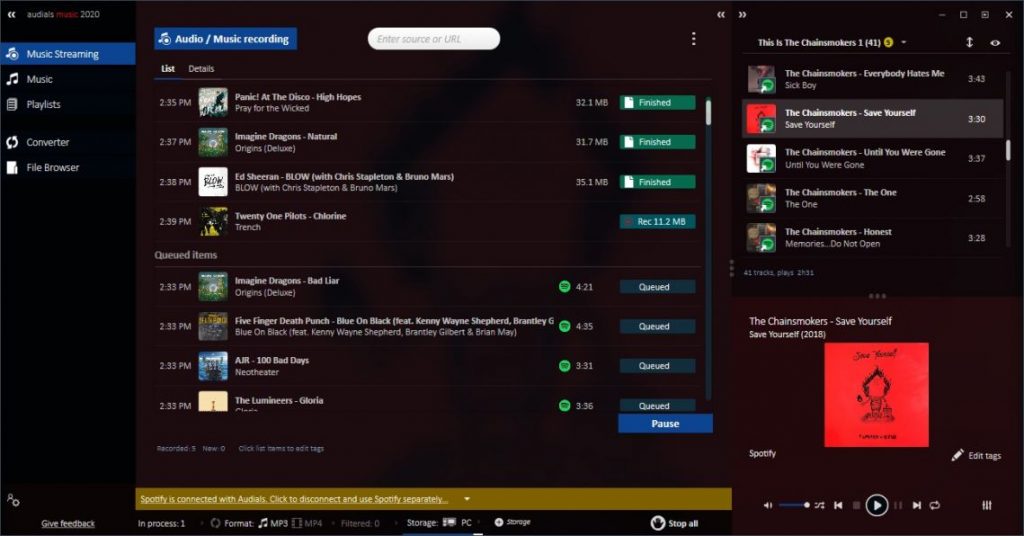
Audials Music 2026 is a recorder for music streaming including the audio converter. With Audials Music, you can record music streams from all music services and websites like Spotify, Amazon Music, and more. Music tracks are separated individually and saved as several formats with ID3 tags and without commercials. Except for recording music beats from all music services, Audials can help you manage multiple music collections and browse through them visually in the music universe with its photos of artists.
-
😀 Pros
- More than 40 audio formats for you to choose from
- Record audios from streaming music services
- Enable you to import and manage local files
-
☹️ Cons
- Only compatible with Windows
- Save audio with quality loss
Top 4. Leawo Music Recorder (Windows & Mac)
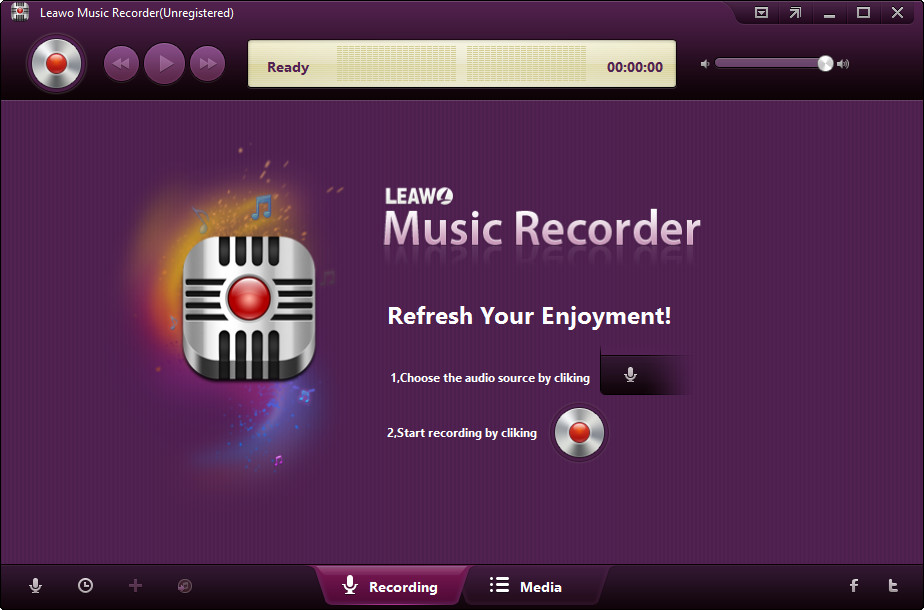
As an easy-to-use audio recorder, Leawo Music Recorder could be considered when recording music from Spotify. It can help users record music and audio from both computer audio and streaming music resources like Spotify, Deezer, and more. You can use the recorder to record Spotify to MP3 or WAV, and it also enables you to manage recorded Spotify songs and edit them one by one. With the feature of the task scheduler, you can preset the time duration for recording audios.
-
😀 Pros
- Record audio with task scheduler
- Record any sound from the Internet sources
- Support to save recorded audios to iTunes in one click
-
☹️ Cons
- Only save audios into two formats
- Not ensure 100% lossless audio quality
- Take a long time to record music from Spotify
#5 Wondershare AllMyMusic [Win& Mac]
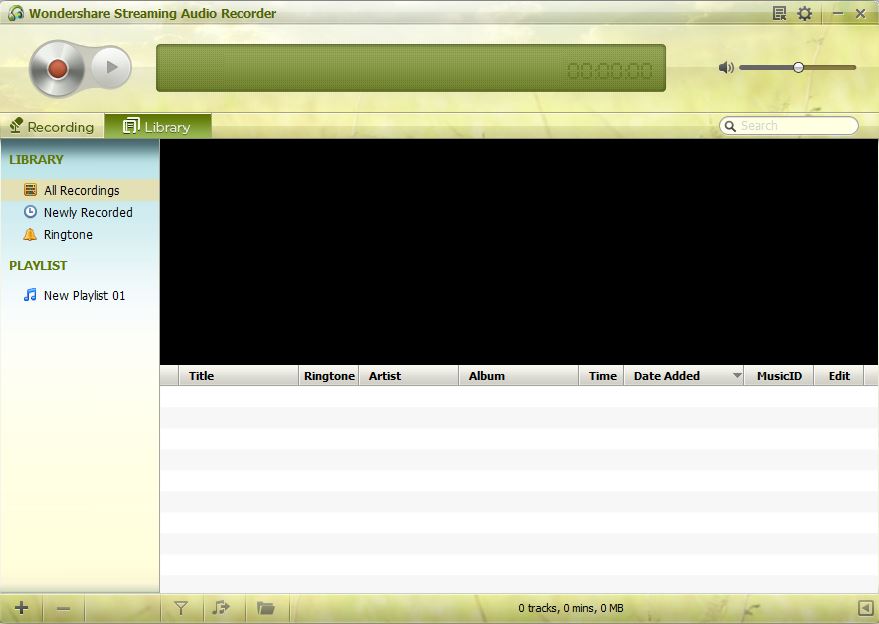
Wondershare AllMyMusic is an audio recording tool that can record audio from any streaming audio sources, including web videos, radio stations, and popular websites like Spotify, YouTube, Pandora, and more. By using this streaming music recorder Spotify, you can record Spotify songs when you are listening to music from Spotify in real time. But it cannot guarantee that you can get Spotify music with lossless audio quality.
-
😀 Pros
- Compatible with Windows and Mac computers
- An easy-to-use and friendly interface
-
☹️ Cons
- Stop working with a low internet connection
- Record audio from Spotify with low sound quality
Part 2. How to Record off Spotify with Free Recorder Tools
If you are looking for a Spotify record free then you are in the right place. There are 5 free Spotify recorders available for you to choose from. You can pick up one to help you record your favorite songs from Spotify. Now you’ll learn of the free Spotify recorders for Windows or Mac computers.
| Audacity | Apowersoft Audio Recorder | CodePlex Spotify Recorder | Dojotech Spotify Recorder | Spytify | |
|---|---|---|---|---|---|
| Supported OS | Windows, Mac, and Linux | Any browser | Windows and Mac | Windows | Windows |
| Output Formats | MP3, WAV, AIFF, AU, FLAC, Ogg Vorbis | MP3 | MP3, WAV, WMA, Ogg Vorbis | MP3 | MP3 |
| Conversion Speed | 1x | 1x | 1x | 1x | 1x |
| Output Quality | Lossy | Lossy | Lossy | Lossy | Lossy |
| Price | Free | Free | Free | Free | Free |
#1 Audacity [Win/Mac/Linux]
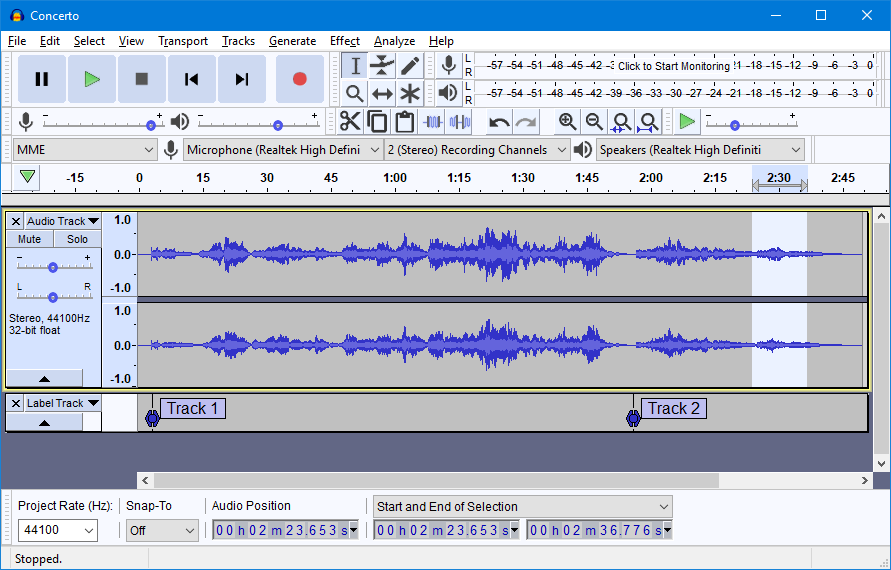
With over 100 million downloads, Audacity is a popular and free digital audio editor and recording application software, available for Windows, Mac, and Linux devices. Being an universal audio recorder, Audacity can be used to record not only Spotify music, but also any music sources on other popular streaming music sites. In addition to recording audio from multiple sources, Audacity can be used for post-processing of all types of audio by adding effects such as normalization, trimming, and fading in and out. It has also been used to mix multitrack. But you need the help of audio effect plug-ins while recording as Audacity lacks dynamic equalizer controls and real-time effects.
-
😀 Pros
- Provide the functions of both editing and recording
- Easy for beginner to record audio
-
☹️ Cons
- Not ensure the output audio quality
- Lacks dynamic equalizer controls and real-time effects
#2 Apowersoft Audio Recorder [Online]
Apowersoft Audio Recorder is a web-based free audio recording tool that allows users to record Spotify music from its web player or app without installing any desktop software. Beyond Spotify, it also supports capturing audio from other sources on your computer, including other music platforms and system sound. With its clean interface and simple setup, you can easily record your favorite Spotify song and save it in MP3 format. However, you should notice that it works in real-time recording mode and may be affected by Internet stability, browser performance, and so on.
-
😀 Pros
- Free of charge
- No software installation required
- Works in any web browser
- Easy to use
-
☹️ Cons
- Record Spotify music in real time only
- Only support the MP3 format
- Lack of advanced features like customization
- Lossy sound quality
#3 CodePlex Spotify Recorder [Win]
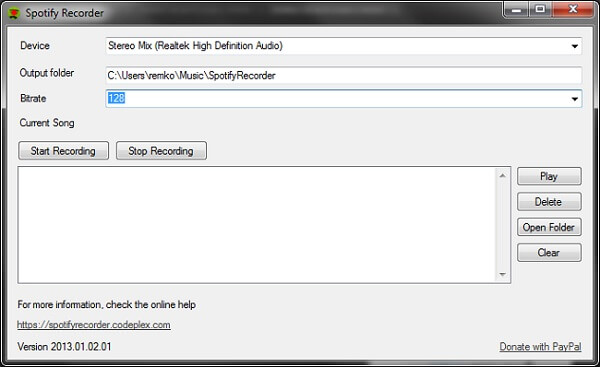
CodePlex Spotify Recorder is a Spotify web recorder for recording songs from Spotify’s web player to MP3 files saved on your hard drive. As containing an integrated web browser, you can browse all contents from Spotify on the program and record music beats from Spotify directly. However, the stereo mix records everything you hear on the computer, so make sure not to cause any other sounds while recording.
-
😀 Pros
- Record music from Spotify for free
- Detect and skip ads from Spotify
-
☹️ Cons
- Record audio from Spotify Web Player instead of Spotify client
- Recording music always degrades the quality
#4 Dojotech Spotify Recorder [Win]
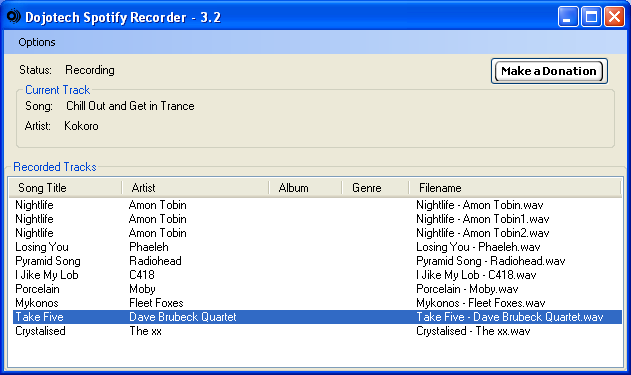
Dojotech Spotify Recorder is also a free and open-source solution to record music to MP3 when Spotify is playing music. In addition, it will automatically tag the resultant file. Also, you can tag the files afterward to add the album and genre. However, this free Spotify recorder is only compatible with Windows XP and lower. And the sound on your PC needs to be unmuted and the volume needs to be loud enough to hear when recording Spotify music.
-
😀 Pros
- Simple to use Spotify song recorder
- Free to use
-
☹️ Cons
- Only compatible with Windows XP and lower
- Record song from Spotify with poor audio quality
#5 Spytify [Win]
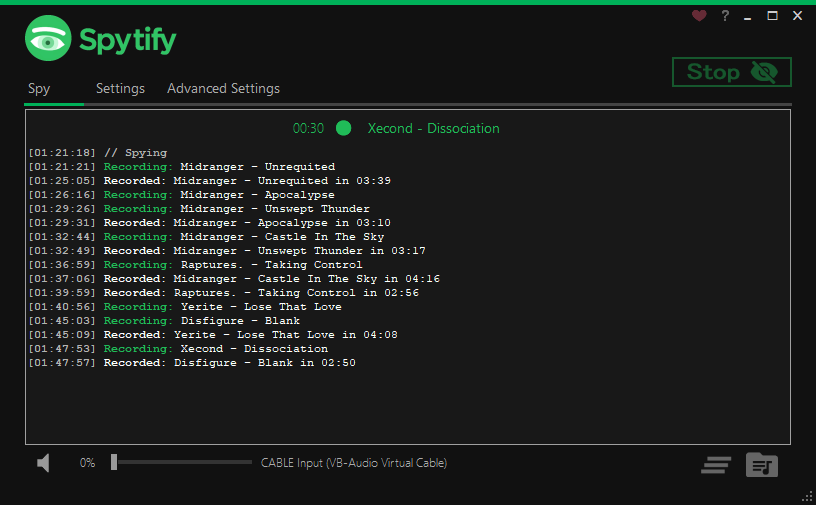
Spytify is a Spotify recorder for Windows that can help you record Spotify audio without recording or playing ads. It can automatically split songs into separate tracks and records to MP3 with media metadata. It also ensures the same quality that Spotify outputs. So, having a Premium Spotify subscription will enable recording of up to 320 kbps audio. After recording, you can transfer those recorded Spotify songs to your device and then start easily enjoying your Spotify music offline.
-
😀 Pros
- Easy to use for recording MP3 from Spotify
- Record Spotify to MP3 without ads
-
☹️ Cons
- Run on Window only
- Not 100% reliable
Part 3. FAQs about Spotify Recorders
Is it legal to record from Spotify Music?
Recording music from Spotify for personal use only is generally legal in many regions, but distributing or selling recorded tracks will violate Spotify’s Terms of Service.
Do I need a Spotify Premium to record Spotify?
No, a Spotify Premium subscription is not necessary for recording Spotify music. Professional tools like the TunesMake Spotify Music Converter work perfectly with your Free account.
Does using a Spotify recorder reduce audio quality?
It depends on the recorder you choose. Using a dedicated Spotify recorder can capture music with lossless quality. However, some basic free audio recorders may cause compression and quality loss. Thus, choosing a recorder that supports high-quality output and stable music capture is the key.
Can I record Spotify playlists and albums in batch?
If you choose a free audio recording tool, you can only record songs one by one in real time. If you want to download multiple songs at once, a specialized Spotify music Converter is a better choice. For example, the TunesMake Spotify Music Converter can help you download playlists and albums quickly with one click.
Why is my recording silent or has no sound?
If your Spotify music recording is silent because of issues like muted volume, wrong audio source selection, or software glitches. If you find your recording file no sound, you’d better make sure you selected correct output device. Also, it’s important to make sure required audio driver is installed. You can try some common solutions like restart the recorder and your device.
Part 4. Conclusion
Spotify provides the additional feature of offline downloading for those Premium users but all the downloaded Spotify songs are cache files only available during the subscription of Premium plan. If you want to download Spotify tracks and convert them to MP3 to your devices, the best choice is to use a Spotify recorder. From the aforementioned Spotify recorders, we do recommend TunesMake Spotify Music Converter to you. With it, you can download lossless tracks from Spotify with ease.
Related Articles


A senior editor from TunesMake, dedicated to sharing professional tutorials and solutions of software, movies, and music.
- 1
- 2
- 3
- 4
- 5
- 6
- 7
 Leave Your Comment
(0)
Leave Your Comment
(0)

 Download Center

