








 Store
Store


Spotify makes streaming millions of tracks seamless, but its offline playback feature comes with strict limitations. You must hold an active Spotify Premium subscription, and even then, tracks are encoded as DRM-protected cache files that cannot be moved to MP3 players, USB drivers, or DJ software for playing.
This friction has driven thousands of users toward SpotDown, a web-based utility that promises free Spotify-to-MP3 conversions directly inside a browser. But does SpotDown actually live up to its promises? Is it safe from malware and redirects, and what kind of audio quality can you expect? This guide breaks down how SpotDown works, its core features, step-by-step usage intructions, safety risks, and the best alternatives for lossless batch downloads.
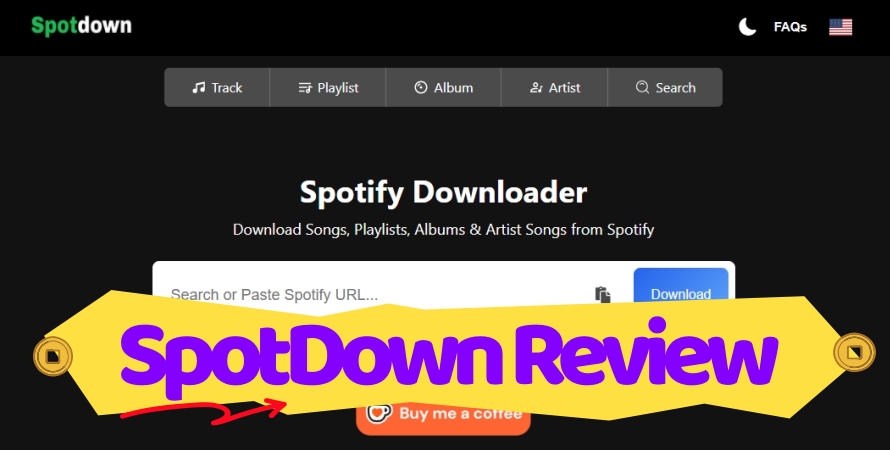
Part 1. What Is SpotDown and How Does It Work?
SpotDown is a free web-based downloader designed to extract Spotify tracks, albums, and playlists into downloadable MP3 files. Because it runs entirely within modern web browsers such as Chrome, Safari, Edge, and Firefox, users can convert music on Windows, macOS, Linux, Android, and iOS without installing dedicated software or signing up for an account.

Key Features of SpotDown:
-
Zero-Cost Access: 100% free with no account creation or subscription required
-
Cross-Platform Compatibility: Operates on any desktop or mobile web browser
-
Flexible Input: Supports both direct Spotify link pasting and keyword searching
-
Basic Metadata Retention: Attempts to preserve cover art, track titles, and artist names
-
No Premium Required: Functions using links generated from free Spotify accounts
How SpotDown Downloads Spotify Music?
Unlike professional music converters that directly decode encrypted Spotify audio streams, online web downloaders like SpotDown typically operate using audio matching algorithms. When you paste a Spotify track link into SpotDown, the service analyzes the song's metadata like title, artist, and duration. It then queries public databases, primarily YouTube audio sources to fetch a matching track, re-encodes it into an MP3 file, and embeds the basic ID3 metadata.
Is SpotDown Safe and Legal to Use?
Security and legal compliance are critical considerations when utilizing third-party web converters. When using SpotDown Spotify Downloader Online, lots of users have two questions: is SpotDown safe and is SpotDown legal.
Security Considerations: Ads, Redirects, and Malware
SpotDown itself doesn't require software installations or executable downloads, which eliminates the primary vector for desktop Trojans or bundled adware. However, to monetize free traffic, the site relies heavily on aggressive third-party ad networks.
- Redirect Risks: Clicking interface buttons can launch new tabs leading to sketchy software offers, fake system updates, or phishing landing pages.
- Safety Best Practices: Enable a reputable browser-based ad blocker, avoid downloading any .exe or .apk prompts that pop up unexpectedly, and refrain from entering sensitive personal or financial information on redirected pages.
Legal Status and Terms of Service
From a legal standpoint, downloading copyrighted music without authorization from the rightsholder violates Spotify's Terms of Service. Tools like SpotDown bypass digital rights management (DRM) mechanisms. While individual users downloading music strictly for personal offline listening rarely face direct legal action, using converted files for commercial distribution, public performance, or re-uploading is illegal under copyright law.
Part 2. Hands-On Test and User Experience of SpotDown
To assess how well SpotDown performs under real-world conditions, we put the service through standardized testing across different audio tasks.
🙆 Fast Downloading Speed
Converting Spotify individual songs URLs is quick. Once a Spotidy music track URL is submitted into the search bar, SpotDown parses a song takes between 3 to 6 seconds and yields a direct MP3 download button.
🙅 Batch Conversion Reliability
While SpotDown can parse a playlist link and display every track, it doesn't package the list into a single compressed batch download. Users must click individual download triggers for every track on the list, making large library transfers time-consuming.
🙅 Audio Output Spectrum
Independent spectrum testing via Spek shows a low-pass frequency cutoff around 16 kHz. Although advertised as 320kbps MP3, the audio is transcoded from public 128kbps YouTube streams into a 320kbps MP3 container.
🙅 Watermarked ID3 Tags
The output audio files retain cover artwork and primary ID3 tags like title names, albums, and artist names. But output file titles or ID3 metadata occasionally include site domain watermarks like Father Figure_spotdown.org.mp3.
🙅 Ad-Redirect Network
Triggering the final download button in the web version consistently opens third-party redirect ads and promotional tabs. It is induced to download and install third-party software on the computer and mobile phone.
Pros and Cons of SpotDown
While SpotDown provides a convenient solution for occasional music downloads, it comes with notable trade-offs. After our real testing, here are the pros and cons of SpotDown we have summarized.
😀 Pros
- No hidden paywalls or subscription plans
- Purely web-based workflow
- Easy URL paste-and-click workflow
- Compatible with mobile phones, tablets, and computers
☹️ Cons
- Frequent ad triggers upon clicking download buttons
- Variable bitrates due to YouTube source-matching
- No true 1-click batch download of playlists or albums
- Fail to save certain tracks or output empty 0 KB files
Part 3. How to Download Spotify Music to MP3 via SpotDown
If you decide to use SpotDown for quickly downloading individual songs or small playlists, follow these steps to navigate the process smoothly while avoiding misleading click traps.
Step 1. Open and log into Spotify web player with your account credentials.
Step 2. Find your desired track, album, or public playlist you want to download.
Step 3. Click the three-dot icon to open the More Options menu.
Step 4. Click the Share button and select Copy Link to Album.

Step 5. Open SpotDown in your web browser and paste the URL into the search bar.
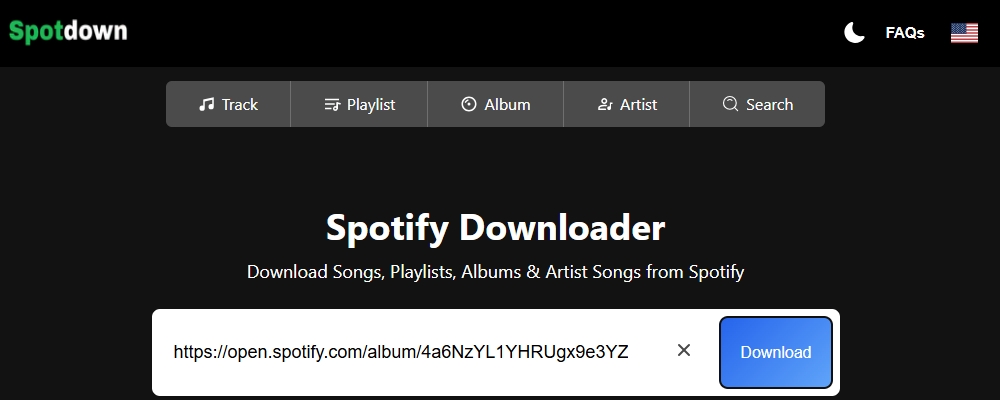
Step 6. Click the Download button to analyze and extract audio links.
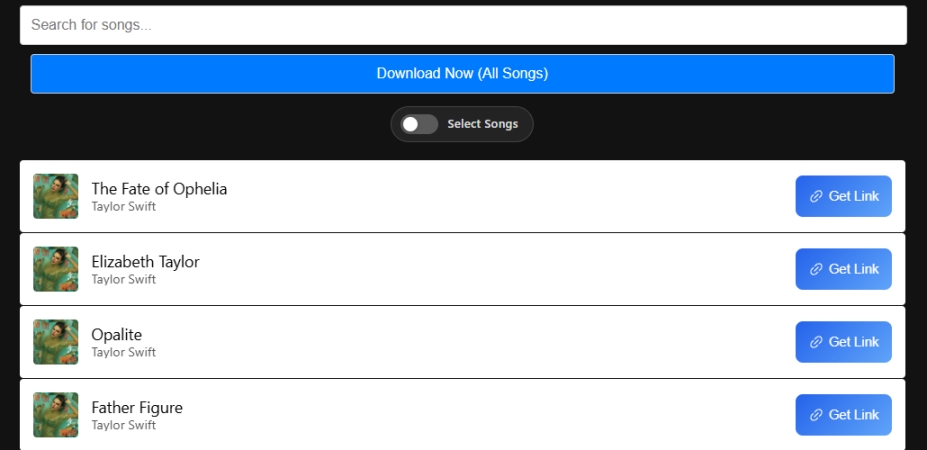
Step 7. Click the Get Link or Download button adjacent to your chosen track.
Important Caution:
Clicking the initial download button may trigger pop-up advertisements or redirect you to an external browser tab. Close any newly opened tabs immediately, return to the primary SpotDown page, and click the final Download Now button to save the MP3 directly to your local storage.
Part 4. How to Fix SpotDown When It's Not Working
Free web converters, including SpotDown, frequently experience downtime or broken conversion pipelines due to API adjustments by Spotify or YouTube. If you encounter SpotDown not working, apply these common troubleshooting solutions.
Solution 1. Clear Browser Cache and Cookies
Stored session data can stall the download link generator. Clear your browser data or attempt the download inside an Incognito or Private window.
Solution 2. Verify Spotify Music URL
Ensure you are pasting a standard track or playlist link format like [https://open.spotify.com/track/]. Delete extra sharing tracking parameters appended to the end of the URL.
Solution 3. Toggle VPN Services or Proxy
Server-side IP rate-limiting can cause Spotdown to freeze. Switch your VPN location or temporarily disable active proxy servers to refresh your connection.
Solution 4. Disable Extension Conflicts
While basic ad-blockers protect against pop-ups, strict script-blocking browser extensions like NoScript can block the essential JavaScript required for Spotdown to process conversions.
Part 5. Top SpotDown Alternative for Faster and Safer Downloads
When downloading entire albums or playlists where original audio quality, multi-threaded batch downloads, and ad-free environment are priorities, a professional Spotify downloader offers a far more efficient alternative to web-based converters. TunesMake Spotify Music Converter resolves the primary pain points of web converters. It is the most stable, high-speed solution for archiving large music libraries.
| Feature | SpotDown | TunesMake Spotify Music Converter |
|---|---|---|
| Cost | 100% Free | Free Trial |
| Downloadable Content | Track, album, playlist | Track, album, playlist, artist, podcast, audiobook |
| Download Speed | Average (1x speed per track) | High-Speed (Up to 15x speed per track) |
| Output Audio Format | MP3 | MP3, FLAC, AIFF, WAV, M4A, M4B |
| Batch Downloading | No (Manual track-by-track) | Yes (1-click full playlist & album export) |
| Max Audio Quality | 128kbps ~ 256kbps | 320kbps |
| Ad Intrusiveness | High (Pop-ups & redirect triggers) | Zero (100% clean desktop interface) |
| Ease of Use | High (Browser paste-and-click) | High (Intuitive graphical interface) |
| ID3 Tags Retention | Primary ID3 tags like title names, albums, and artist names | Full ID3 tags like title names, albums, artist names, track number, release date, genre, and more. |
| Output Parameter Customization | No | Yes (Bit rate, sample rate, and channel) |

TunesMake Spotify Music Converter –
Download music from Spotify without premium
- Download Spotify songs, albums, playlists, audiobooks, and podcasts
- Losslessly convert Spotify music to MP3, FLAC, WAV, AIFF, and more
- Remove ads from Spotify music tracks even with a Free account
- Convert Spotify music at 15× faster speed in batch with ID3 tags kept
Security Verified. 100% Clean & Safe.
Part 6. Conclusion
SpotDown remains a handy, fast, and completely free web utility for downloading individual Spotify tracks on short notice without installing software. By using an active ad-blocker, remaining vigilant against ad redirects, and avoiding fake executable file downloads, you can convert your favorite music to MP3 safely and easily. If you need to download a collection of Spotify tracks with high audio quality and complete ID3 metadata, it is suggested to use TunesMake Spotify Music Converter, a professional music downloader for both Spotify Free and Premium users.
Related Articles


An experienced freelance writer at TunesMake, specializes in using various streaming services from Spotify, Apple Music, to Amazon Music, and more other platforms.
- 1
- 2
- 3
- 4
- 5
- 6
- 7
 Leave Your Comment
(0)
Leave Your Comment
(0)

 Download Center

